

Smart Workouts
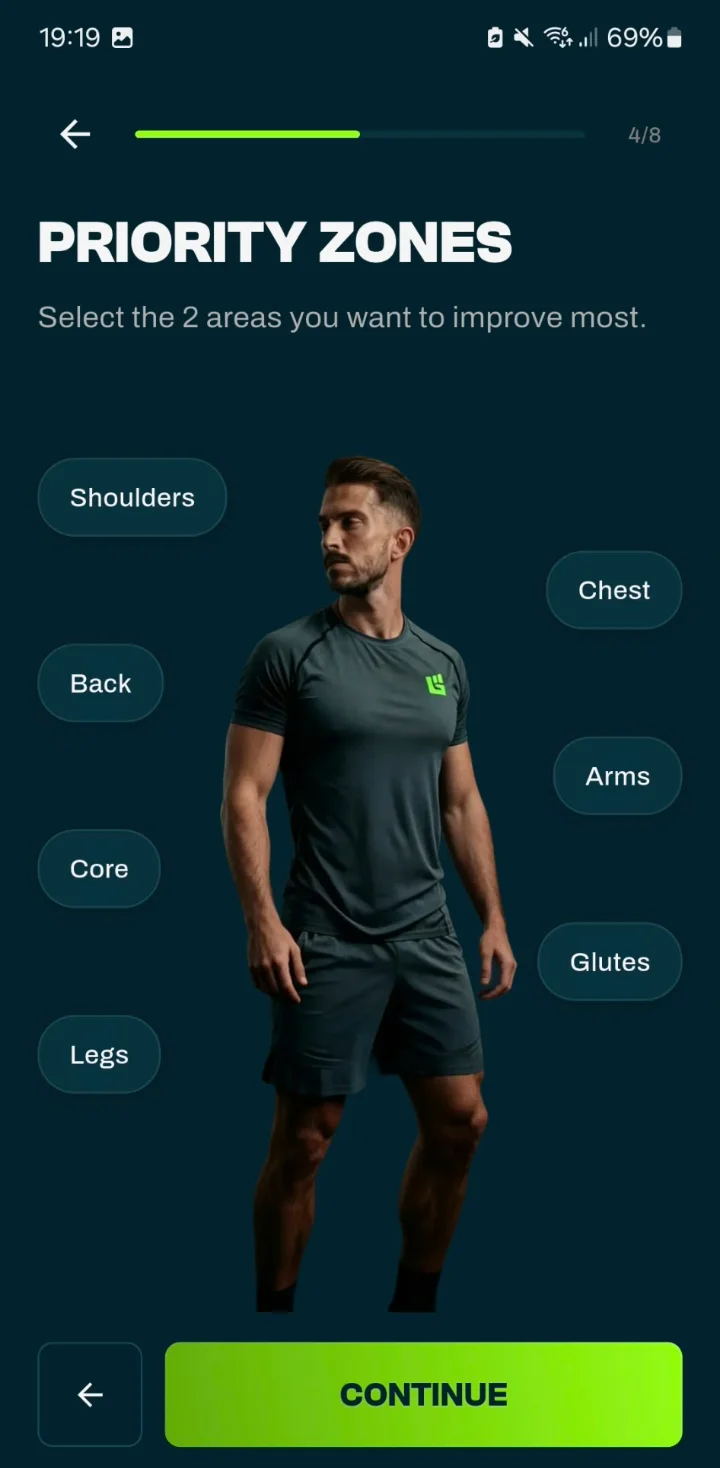
Un programa completo según tu objetivo, horario y equipo, con una división recomendada y zonas prioritarias.
Cómo se crea tu plan de entrenamientoEntrenador personal con IA
GrabGains es una app de entrenador personal para tu móvil. Crea un plan según tu objetivo, tu horario y tu equipo, te enseña cómo hacer cada ejercicio y sigue tu progreso de cerca. El coach con IA integrado revisa tu semana y responde tus dudas de entrenamiento cuando quieras.


App de entrenamiento personal
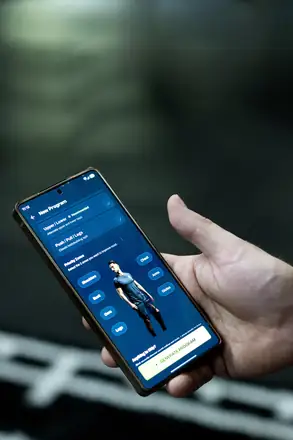
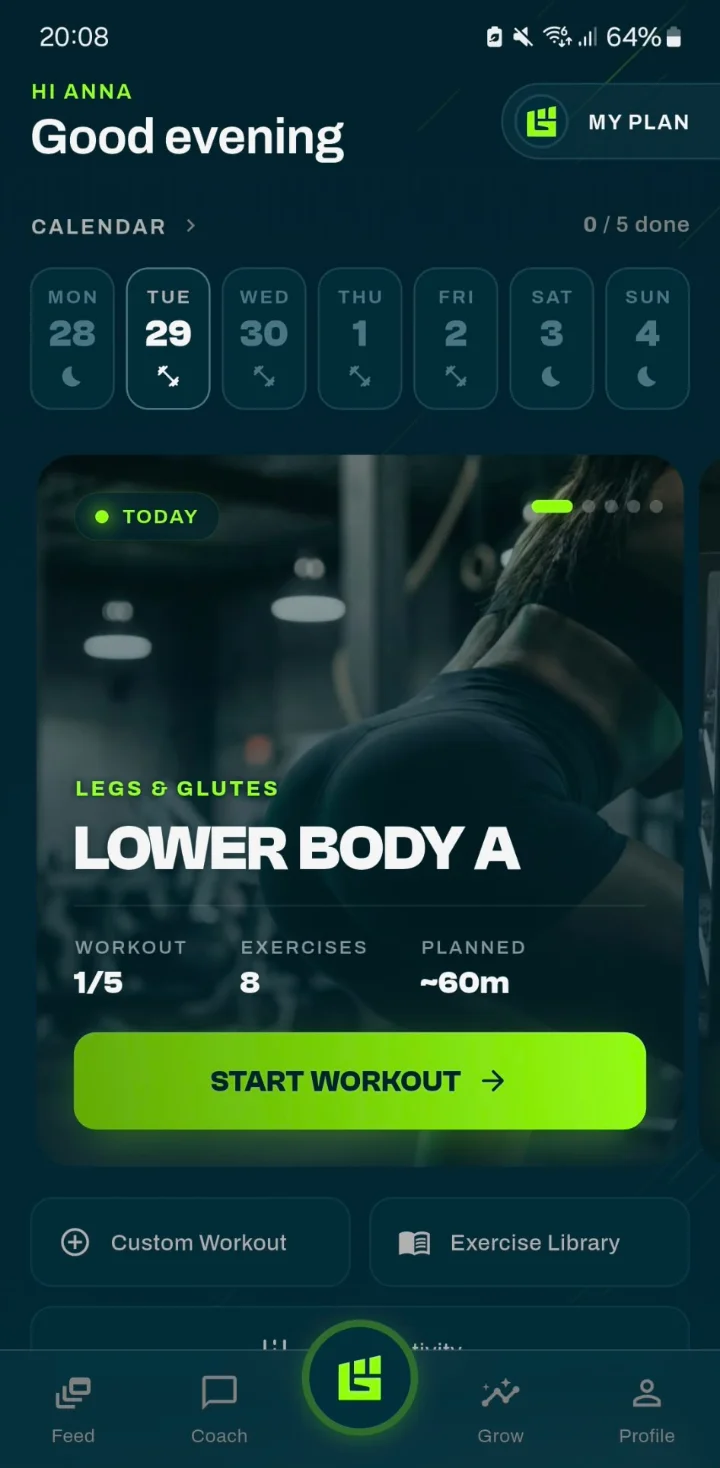
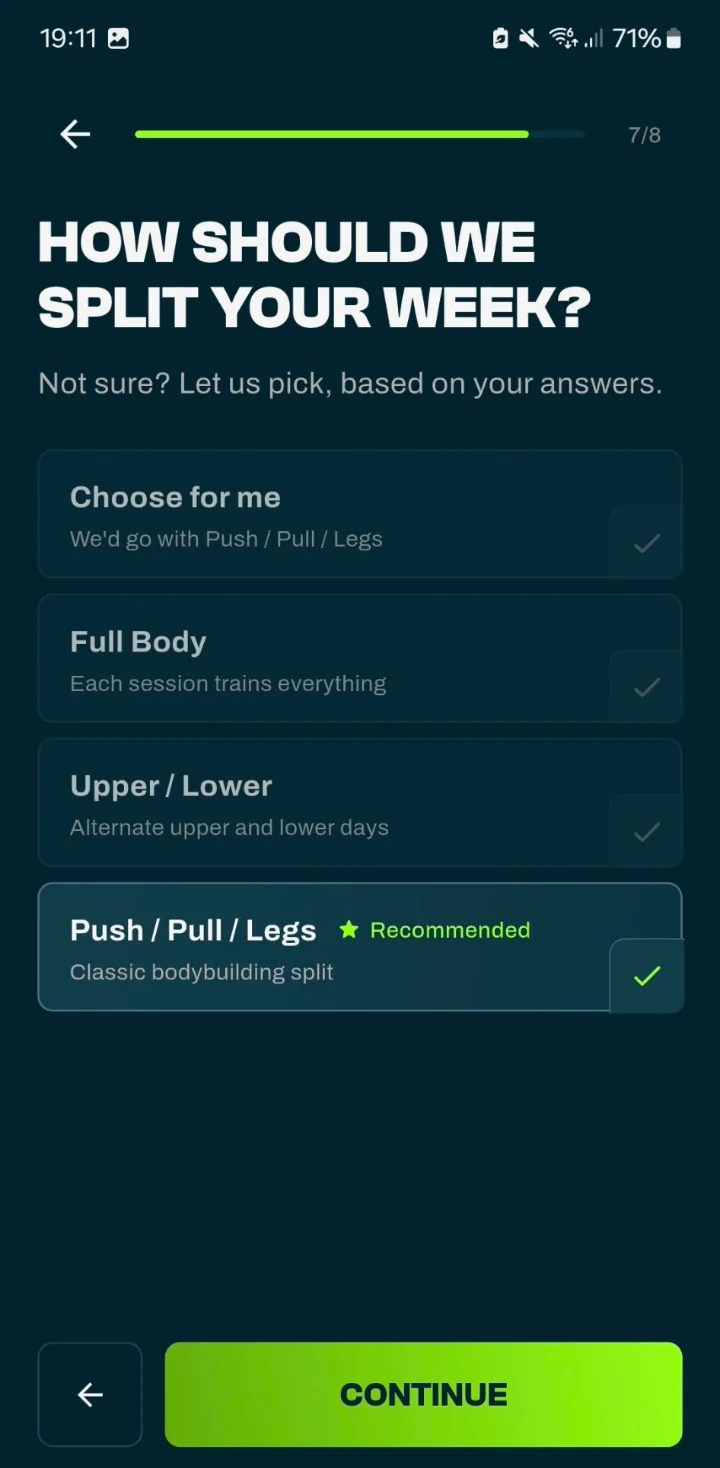
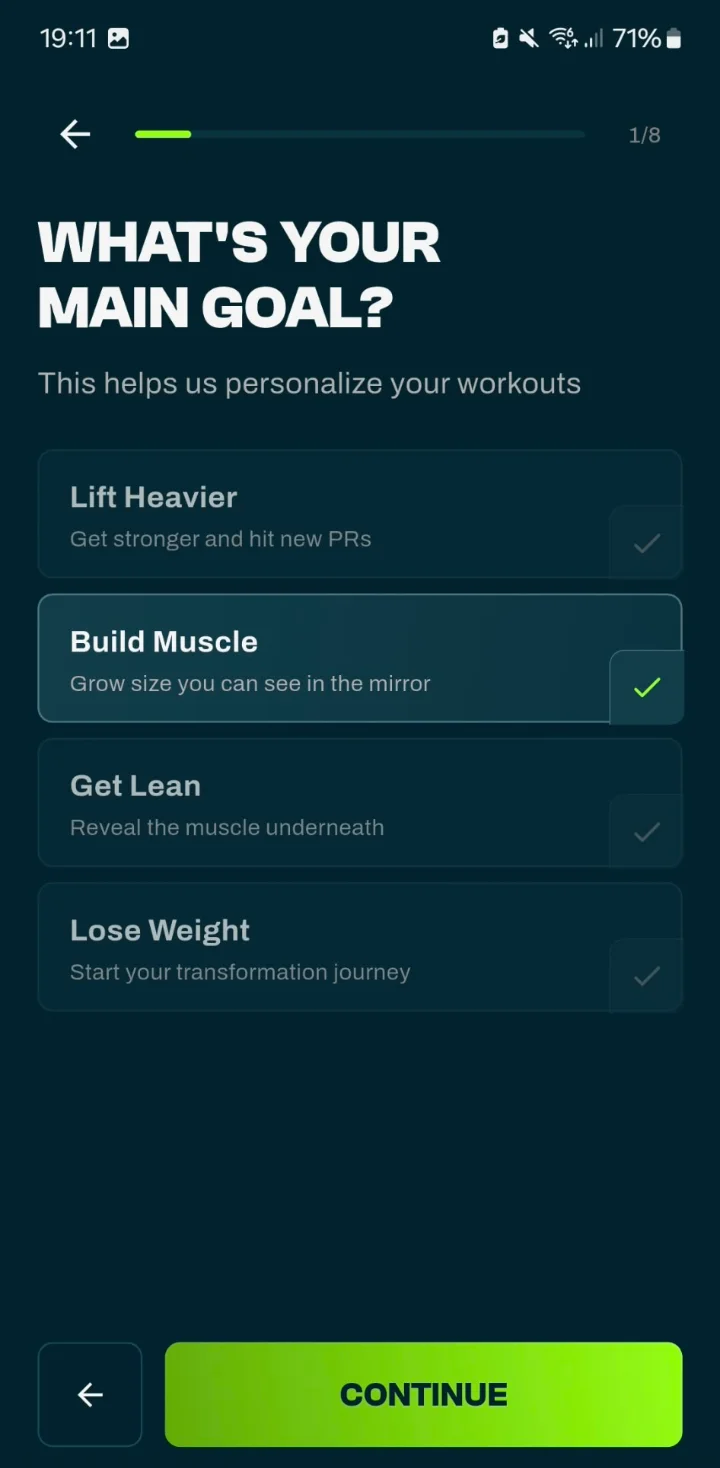
Un buen entrenador empieza haciendo preguntas. La app hace lo mismo: tu objetivo, tu experiencia, tus días de entrenamiento, la duración de tus sesiones, tu equipo y las zonas en las que quieres centrarte. Con tus respuestas crea un plan de entrenamiento completo con la división, los ejercicios y el número de series adecuados.
Entrenador personal con IA
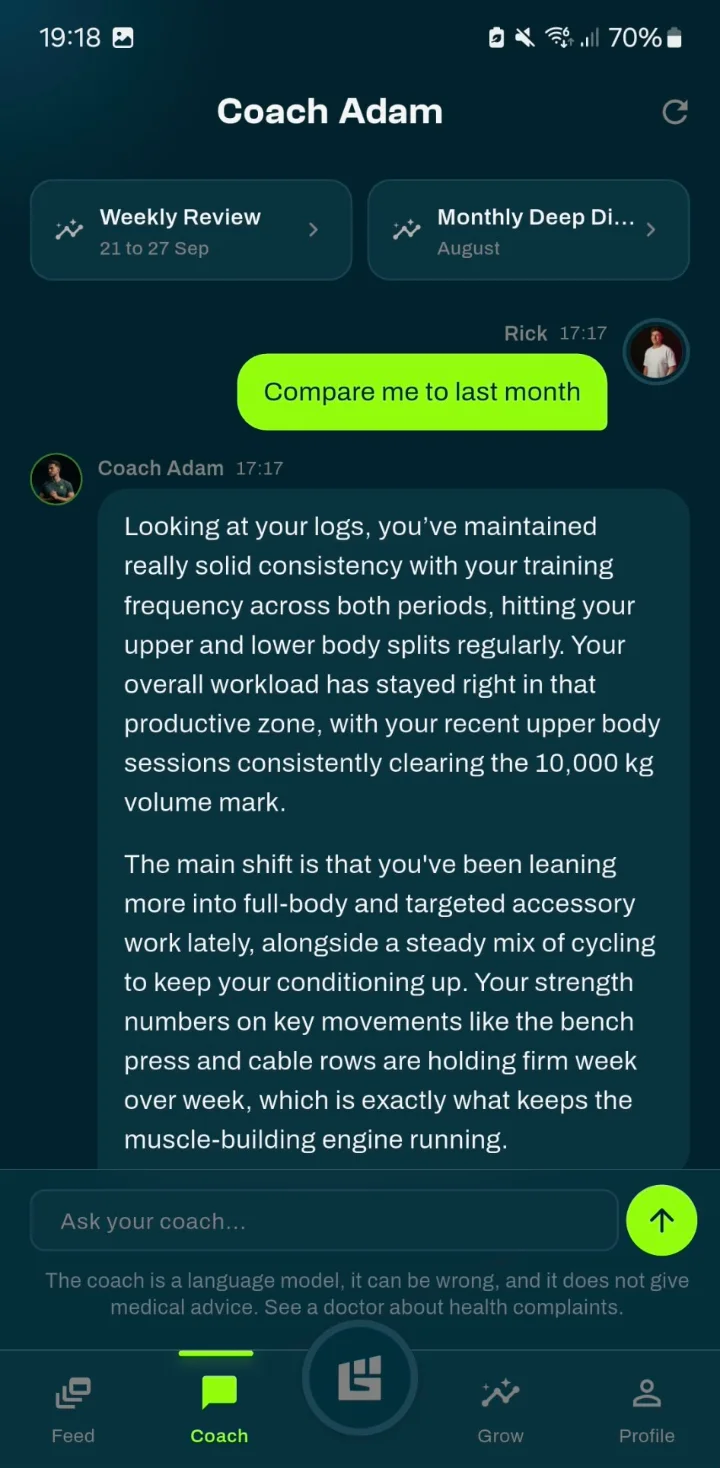
Coach Adam (o Coach Emma, según tu perfil) es el coach con IA de la app. Pídele que compare este mes con el anterior, que te explique qué ha cambiado en tu entrenamiento o que te sugiera en qué centrarte ahora. Sus respuestas se basan en tus propios entrenamientos, tu plan y tus últimos repasos, no en una plantilla genérica. Si te propone cambiar un ejercicio, nada cambia hasta que tocas "Aplicar".
El coach es un modelo de lenguaje: puede equivocarse y no da consejo médico. Si tienes molestias, consulta a un médico. GrabGains ofrece información general de fitness y no es un servicio médico.
Entrenamiento personal virtual
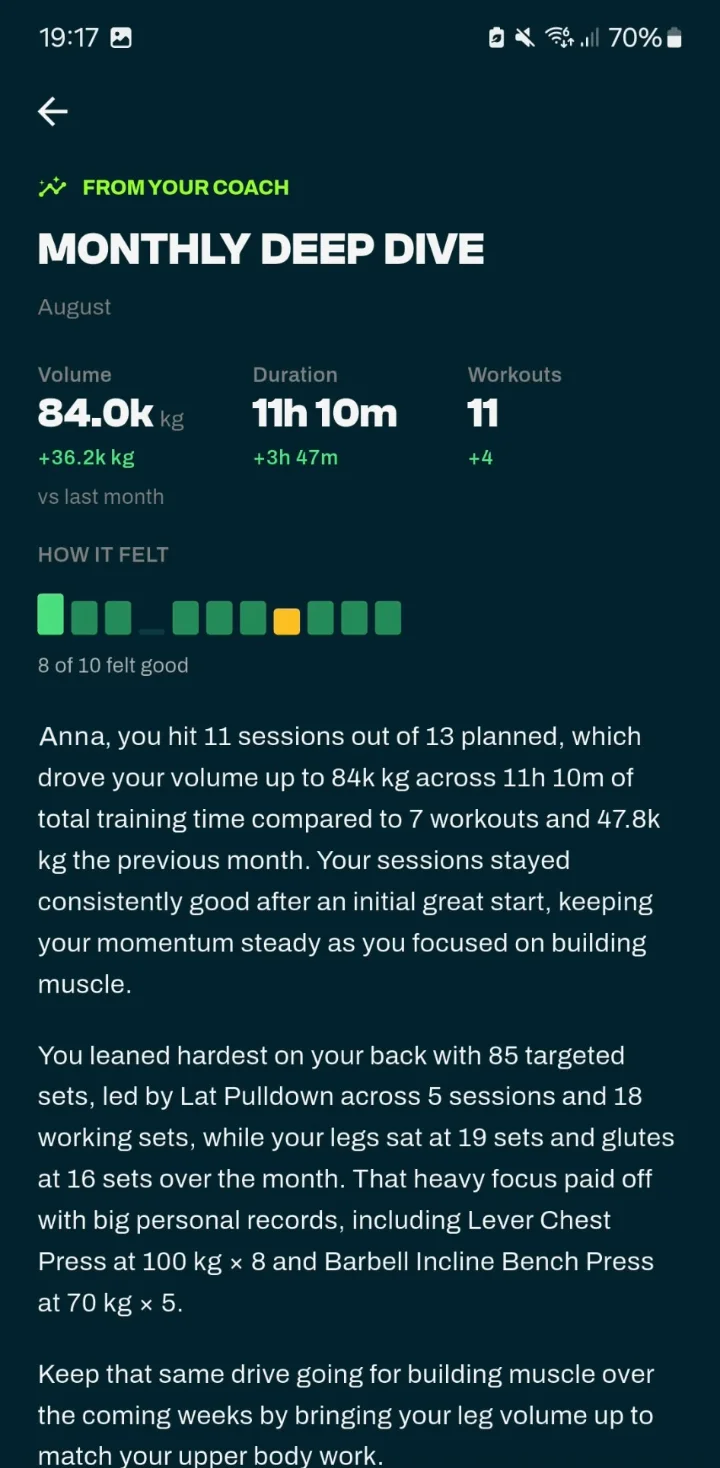
Cada lunes el coach resume tu última semana de entrenamiento, y el día 1 de cada mes el mes anterior: volumen, tiempo de entrenamiento y entrenamientos comparados con el periodo anterior, y cómo te sentiste en tus sesiones. El Análisis mensual muestra además cómo se repartieron tus series entre los grupos musculares y termina con un punto concreto para trabajar en las próximas semanas.
Guía de ejercicios
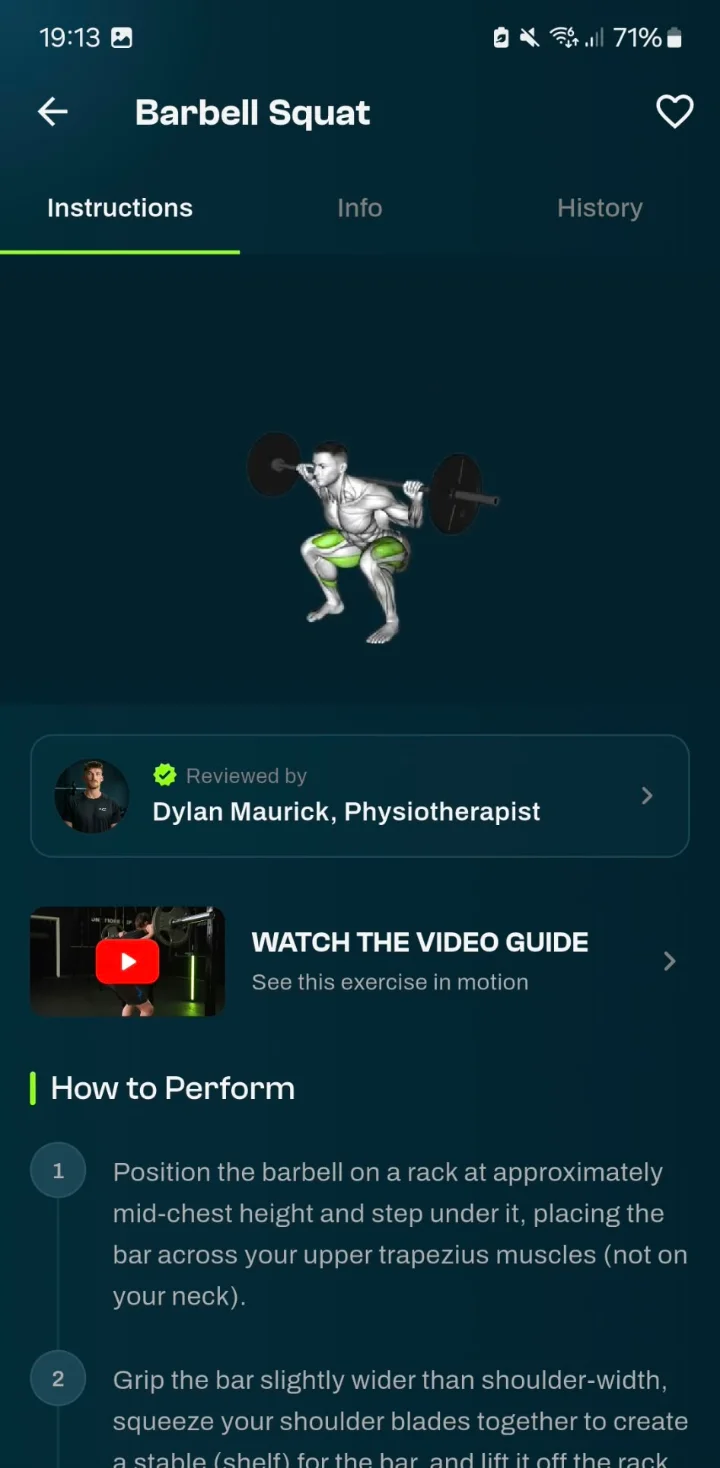
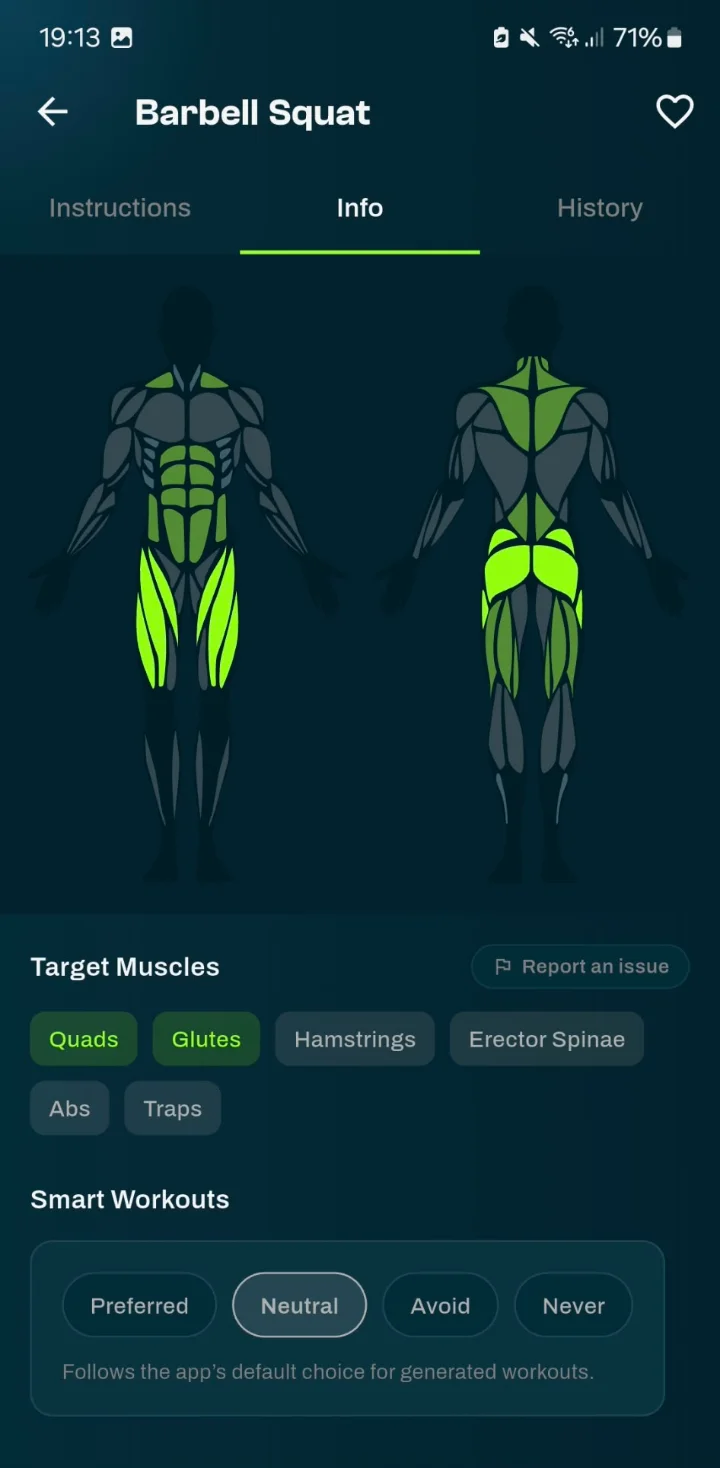
Un entrenador te enseña el movimiento antes de cargar la barra. En la app, los ejercicios incluyen una demostración, instrucciones paso a paso y los músculos que trabajan, además de una videoguía cuando está disponible.
¿Un fisioterapeuta u otro experto ha revisado un ejercicio? Entonces la app te muestra quién lo revisó.
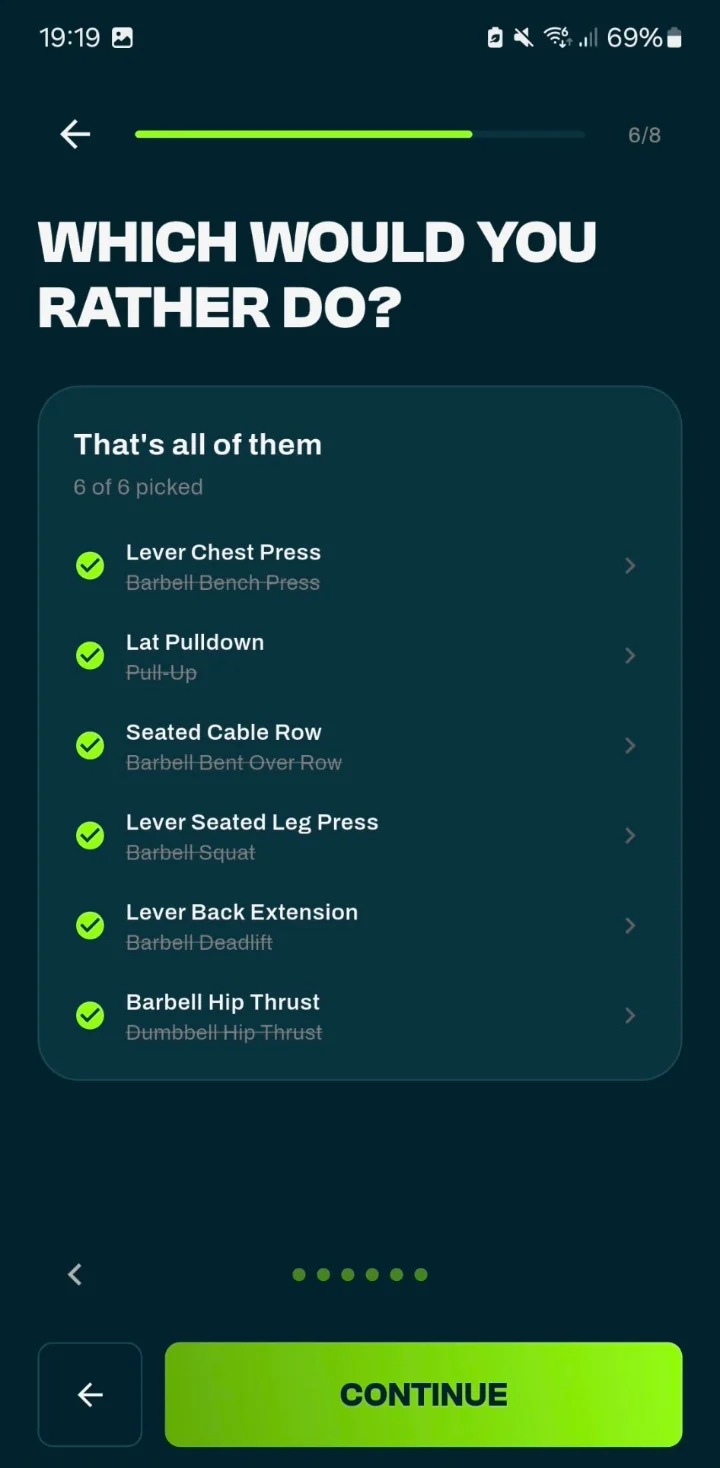
App de entrenador personal online
¿Prefieres un jalón al pecho antes que dominadas, o una máquina antes que una barra? Díselo a la app al configurar tu plan, o cambia un ejercicio más adelante y elige "siempre": la app recuerda tu elección para tu próximo plan.
Cada cuatro semanas termina un bloque de entrenamiento. La app revisa cómo ha ido y la mayoría de tus ejercicios principales pasan a una nueva variante. Si tus levantamientos se estancaron o entrenaste menos de lo previsto, el coach puede proponerte una semana más ligera o menos días de entrenamiento, que solo se aplica cuando tocas "Aplicar".
En la app
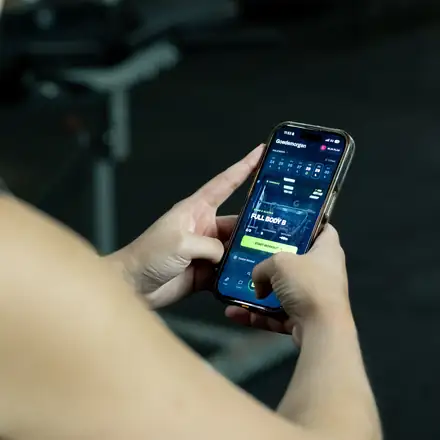
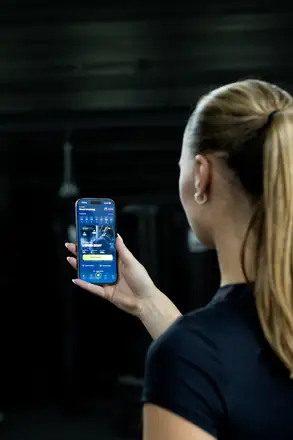
Del entrenamiento de hoy a los ajustes de tu plan: estas son las pantallas que guían tu entrenamiento.
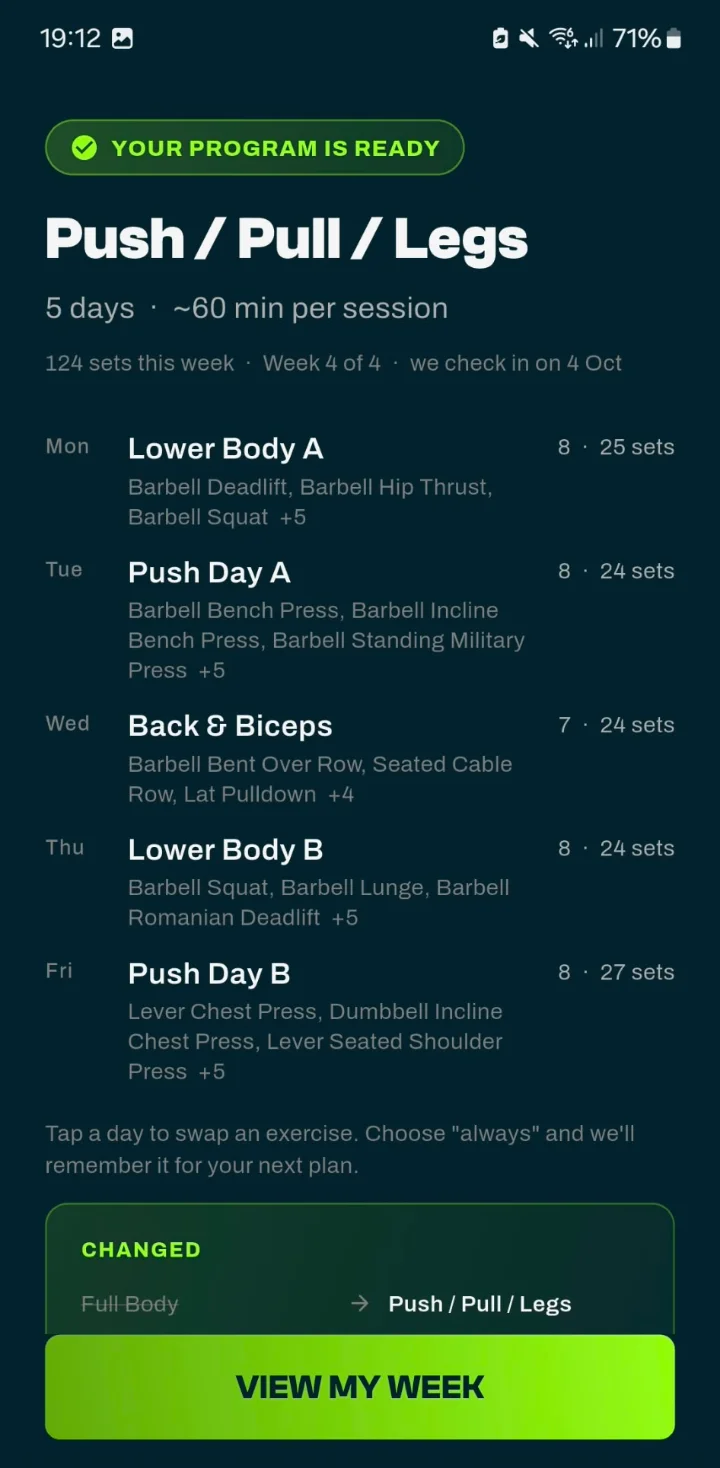
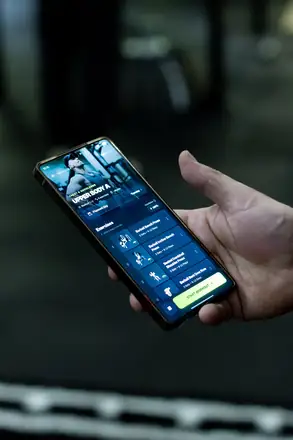
Un entrenamiento para cada día, con los ejercicios y el número de series.
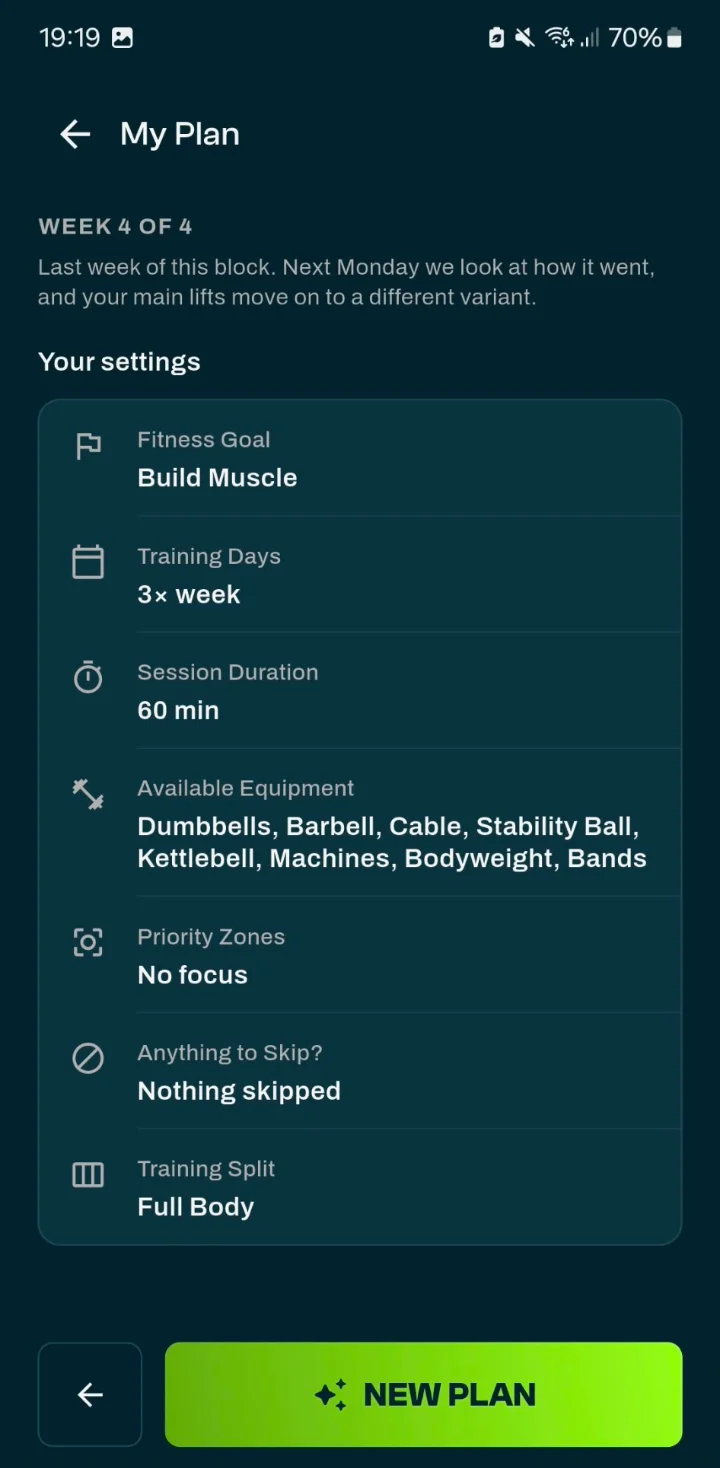
Objetivo, días de entrenamiento, equipo y división, con una nota sobre tu bloque actual.
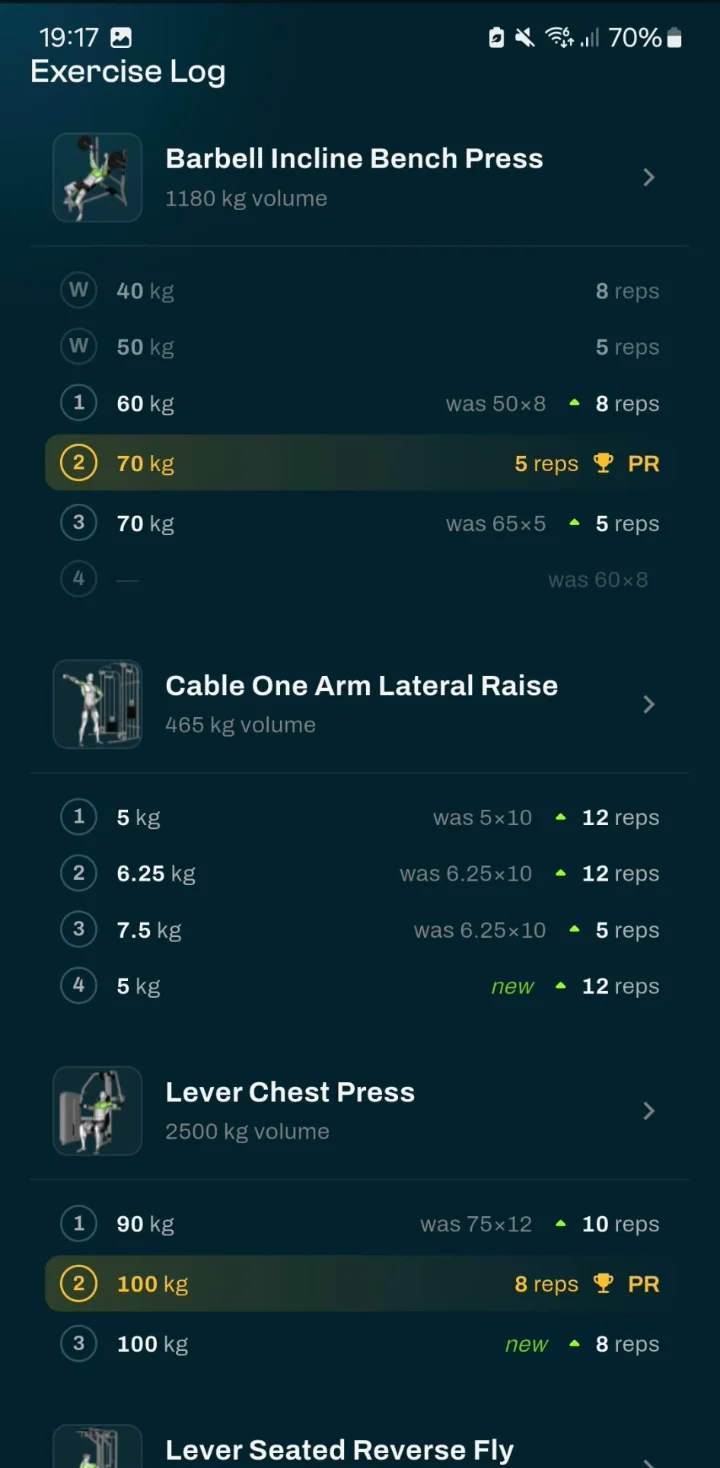
Cada serie junto a lo que levantaste la última vez, con los nuevos récords destacados.
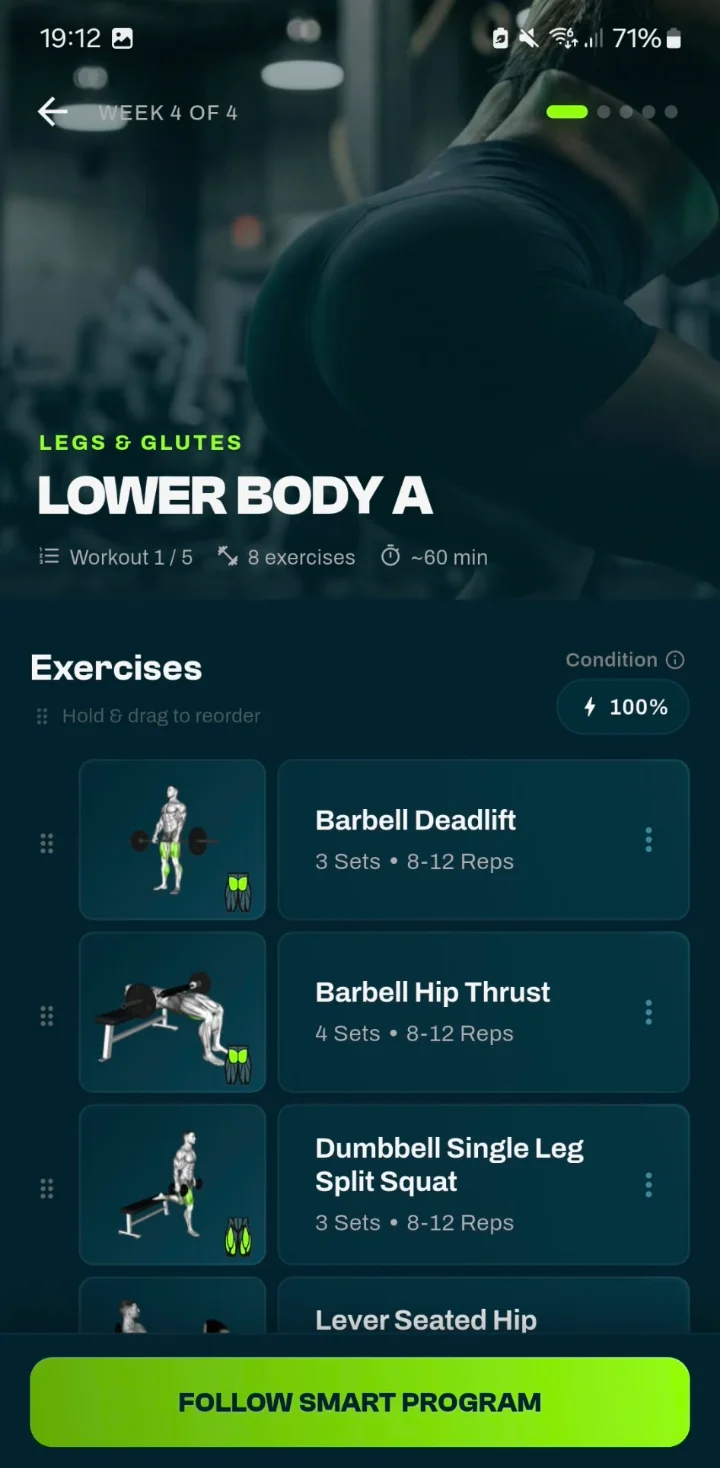
Los ejercicios, series y repeticiones de hoy, en el orden en que los harás.
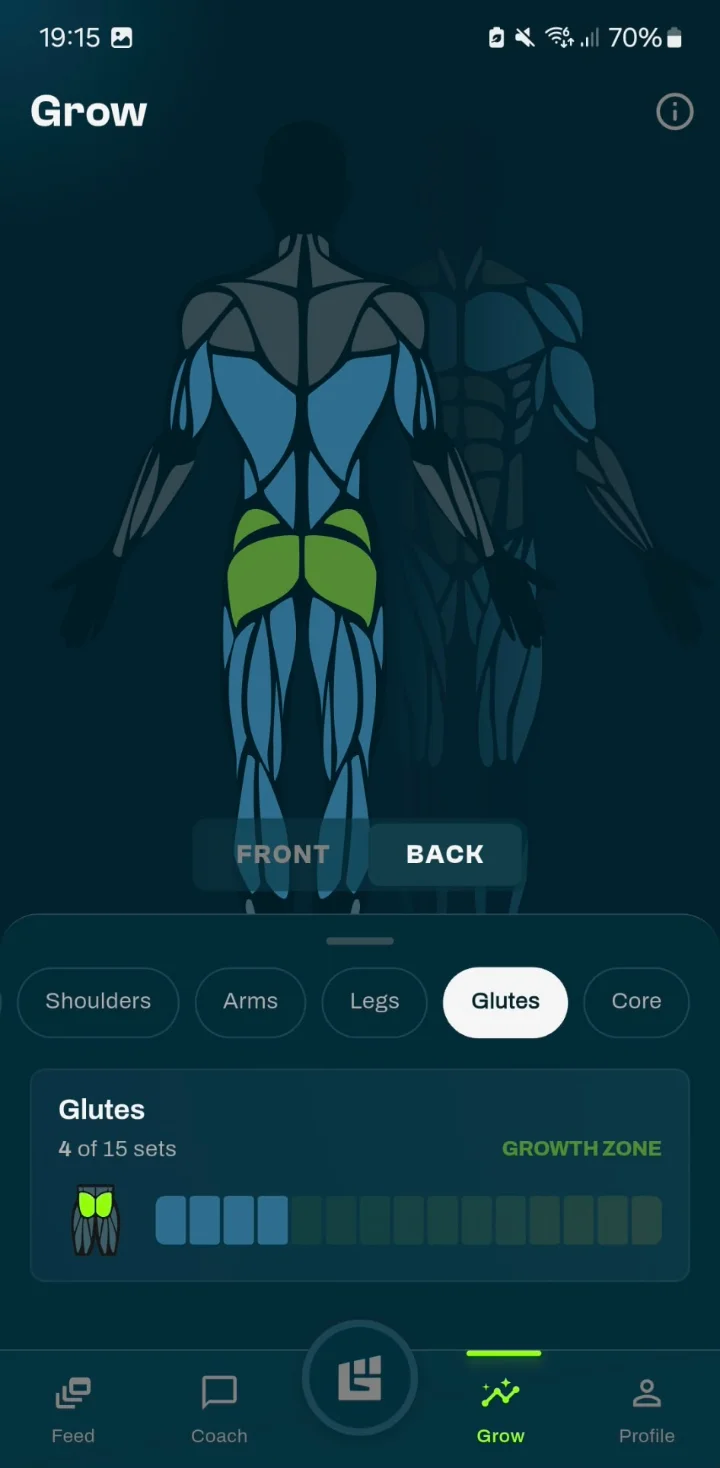
Series por grupo muscular en los últimos 7 días, frente a tu objetivo.
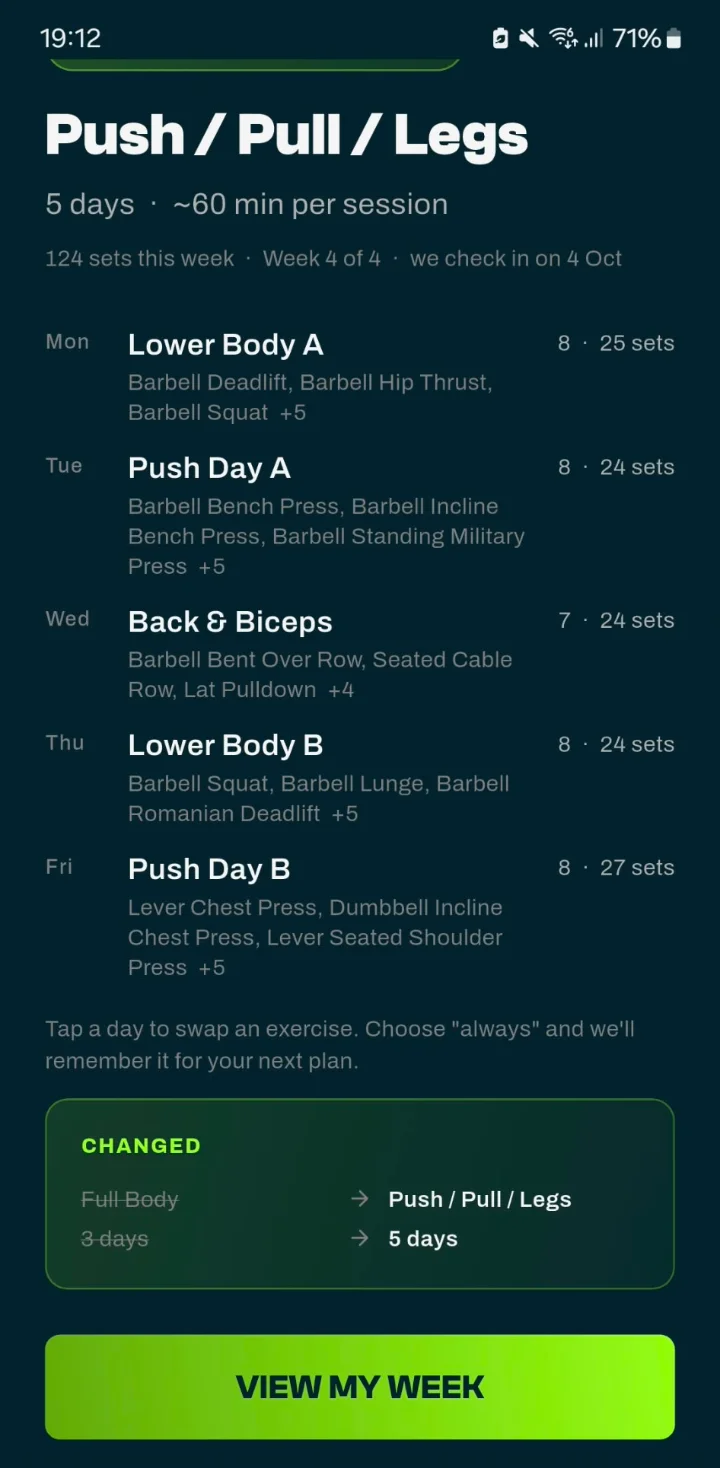
Cada entrenamiento de la semana con sus ejercicios y el total de series.
Esto es GrabGains
Un entrenamiento de principio a fin: abrir tu plan, registrar tus series en el gimnasio y el resumen al terminar.
Por qué GrabGains
Entrena a las 6 de la mañana o a las 11 de la noche: tu plan, tu coach y tu historial están ahí cuando tú lo estés.
Planes, repasos y respuestas parten de tus propias respuestas y de tu registro de entrenamientos, no de un programa igual para todos.
Instrucciones paso a paso para cada movimiento y, en los ejercicios revisados, la app muestra qué fisioterapeuta o experto los revisó.
La misma app de entrenador personal en iOS y Android, en casa o en el gimnasio.
¿Listo para tu propio coach?
La mejor app de entrenador personal te da lo que te da un entrenador: un plan que encaja, ayuda con la técnica, feedback sincero sobre tu progreso y alguien a quien preguntar cuando tienes dudas. Esta app reúne Smart Workouts, guía de ejercicios y un coach con IA en un solo lugar.
Un programa completo según tu objetivo, horario y equipo, con una división recomendada y zonas prioritarias.
Cómo se crea tu plan de entrenamientoCoach Adam o Coach Emma responde tus dudas de entrenamiento a partir de tu propio registro, cuando lo necesites.
Cómo te ayuda la app en el entrenamiento de fuerzaUn Repaso semanal y un Análisis mensual que resumen tu entrenamiento, con un punto claro para trabajar el mes siguiente.
Cómo se sigue tu progresoInstrucciones paso a paso, músculos trabajados y videoguías cuando están disponibles, con el experto que revisó el ejercicio visible en la app.
Cada serie registrada en segundos, con récords, 1RM estimado y volumen por grupo muscular calculados automáticamente.
Cómo funciona el registro de entrenamientosSigue a tus amigos, comparte entrenamientos y celebrad juntos los récords personales. Las clasificaciones del Big 3 y de constancia te mantienen motivado.
Descubre la appComparación
Un entrenador personal en el gimnasio te presta toda su atención y puede ver tu técnica, pero solo durante tus sesiones. Una app de entrenamiento genérica te da una plantilla y te deja el resto a ti. GrabGains te da un plan personal, guía y un coach con IA al que puedes preguntar todos los días.
| Lo que quieres | Entrenador personal | App genérica | GrabGains |
|---|---|---|---|
| Un plan según tu objetivo y horario | Sí | Plantilla | Smart Workouts |
| Feedback sobre tu progreso | Durante las sesiones | Pocas veces | Repasos semanales y mensuales |
| Respuestas a tus preguntas | Con cita | No | En cualquier momento, con el coach con IA |
| Guía de técnica | En persona | A veces | Vídeo e instrucciones paso a paso |
| Ver tu técnica en persona | Sí | No | No |
| Disponible todos los días | No | Sí | Sí |
Amantes del fitness
Really like the functionality of this app. It gives you reminders, personalized workouts to achieve your goal and tips on how to perfrom them. The perfect app for me!
MckPrk
5 de 5 · App Store
Super good app with great workouts and a strong AI coach. Easy to track your progress and really motivating to keep training. Definitely recommend it
Dcro1
5 de 5 · App Store
Really helped me track my progress, great and easy to use! Recommend this app to everyone.
Kathrinmv1997
5 de 5 · App Store
Bueno saberlo
La mejor app de entrenador personal crea un plan según tu objetivo y tu horario, te enseña a hacer cada ejercicio y te da feedback sobre tu progreso. GrabGains reúne Smart Workouts, guía de ejercicios y un coach con IA que revisa tu entrenamiento y responde tus preguntas.
Una app puede encargarse de gran parte de lo que hace un entrenador: planificar tus entrenamientos, guiarte en la técnica y seguir tu progreso. Lo que no puede hacer es verte entrenar en persona. El coach es un modelo de lenguaje: puede equivocarse y no da consejo médico. Si tienes molestias, consulta a un médico. GrabGains ofrece solo información general de fitness y entrenamiento y no es un servicio médico. Consulta a un profesional sanitario antes de empezar un nuevo programa de entrenamiento.
GrabGains se descarga gratis y las cuentas nuevas tienen GrabGains Pro gratis durante 14 días. Después, Básico sigue siendo gratis: registrar entrenamientos, la biblioteca de ejercicios, el feed, las clasificaciones y tus récords. Para generar Smart Workouts, el coach con IA con sus repasos semanales y mensuales, el Seguimiento de zonas musculares y las demás funciones Pro necesitas una suscripción. Los precios de Pro para tu país aparecen en la App Store y en Google Play. Las suscripciones se renuevan automáticamente hasta que las canceles en los ajustes de tu cuenta de App Store o Google Play, al menos 24 horas antes de la renovación.
El coach con IA (Coach Adam o Coach Emma) usa tu perfil, tu plan activo, tus entrenamientos recientes y tus últimos repasos para responder tus preguntas, por ejemplo cómo va este mes frente al anterior o en qué centrarte ahora. Cada lunes recibes un Repaso semanal y el día 1 de cada mes un Análisis mensual. El coach no crea tu plan: la app lo genera a partir de tus respuestas, para que tu programa sea constante. El coach responde en español, inglés u holandés, según el idioma de tu app.
Sí. Indica el equipo que tienes, desde solo tu peso corporal hasta un gimnasio en casa completo, y tu plan se crea en función de él.
Sí. GrabGains está disponible en iOS y Android. Descárgala en la App Store o en Google Play y prueba Pro gratis durante 14 días.
Descarga la app
Responde unas preguntas, recibe tu plan y pregunta lo que quieras al coach con IA desde tu primer entrenamiento.