










Muscle building app

Muscle building app with a plan set up for muscle gain

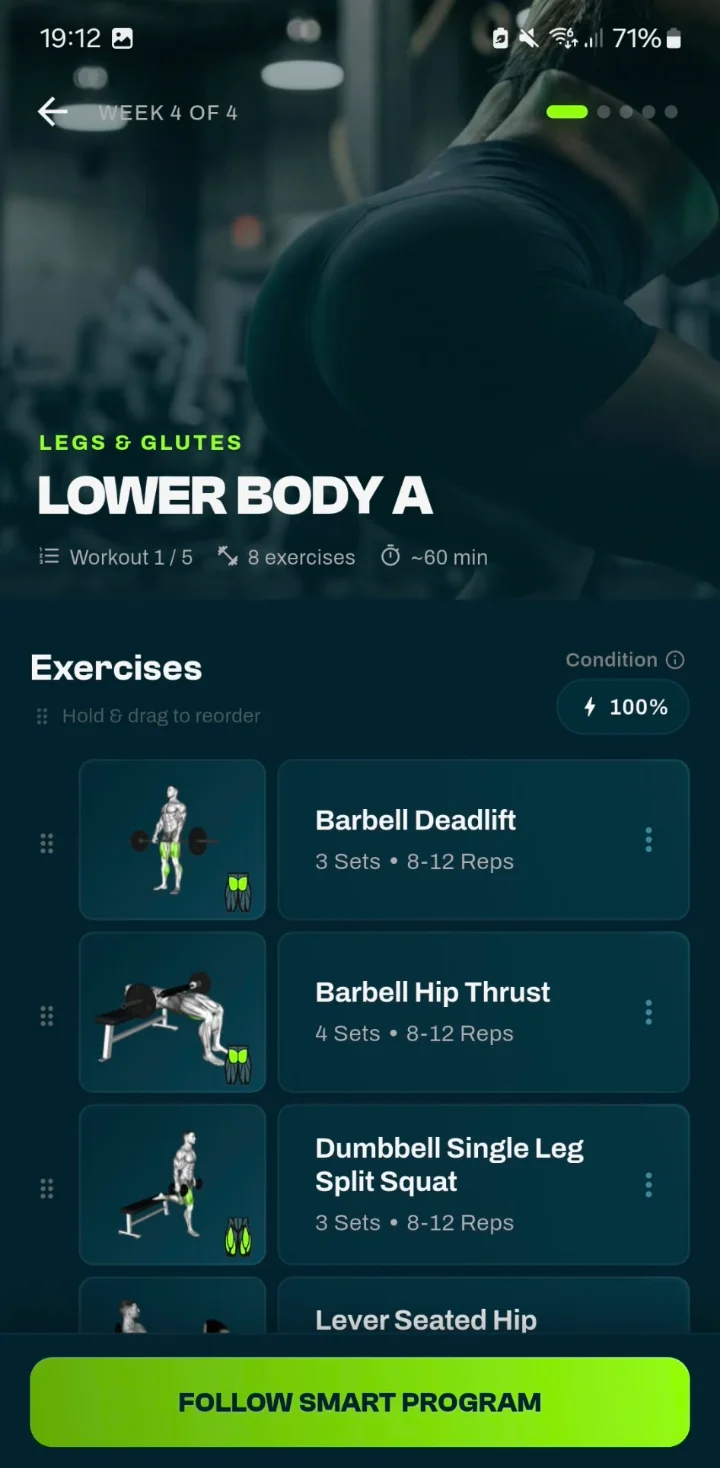
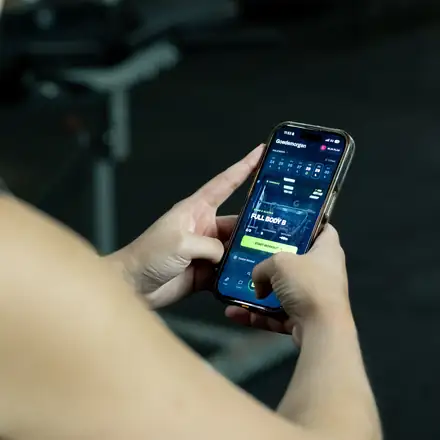
Choose Build Muscle as your goal and the GrabGains muscle building app sets up your plan for it: 6 to 8 exercises per workout as standard, 3 to 4 sets of 8 to 12 reps on compound lifts and 3 sets of 10 to 15 on isolation exercises. You log every set, the app suggests a weight for your next workout, and you see how many sets each muscle group got in the last 7 days.

Free to download · 14 days of Pro
Lower Body A workout in the GrabGains muscle building app with 3 to 4 sets of 8 to 12 reps per exercise
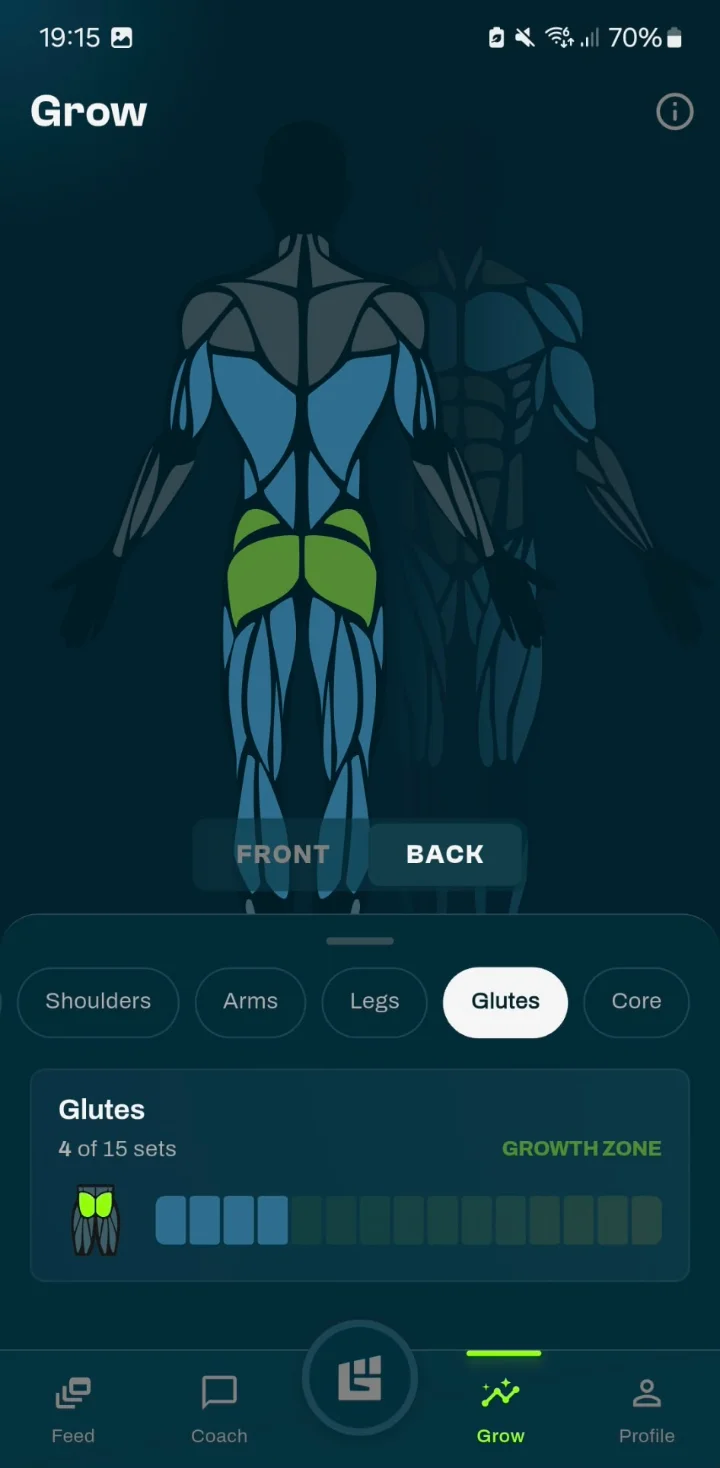
Grow screen in the GrabGains app with weekly sets for the glutes in the growth zone
• STRENGTH • PROGRESS • RESULTS • FITNESS • GAINS • STRENGTH • PROGRESS • RESULTS • FITNESS • GAINS
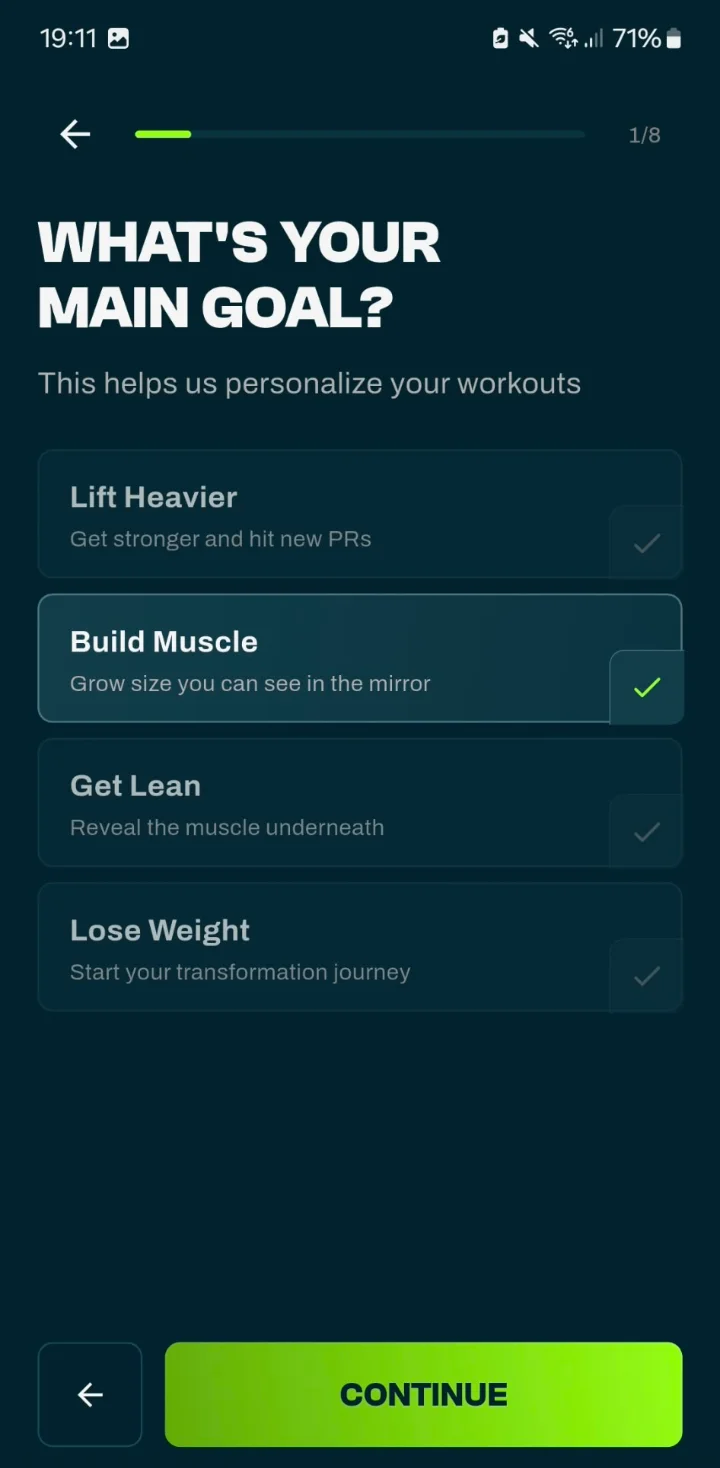
Onboarding in the GrabGains app with Build Muscle selected as the main goal

Build Muscle goal

What the Build Muscle goal changes in your plan

During onboarding you choose your main goal, and that goal sets the numbers in your plan. Build Muscle gives you 6 to 8 exercises per workout as standard. Compound lifts get 3 to 4 sets of 8 to 12 reps with 120 seconds of rest, isolation exercises 3 sets of 10 to 15 reps with 75 seconds of rest.

Lift Heavier is set up differently: 4 to 6 exercises, 4 to 5 sets of 4 to 6 reps and 180 seconds of rest on compound lifts. The plan comes from fixed rules per goal, not from AI.

  • Compound lifts: 3 to 4 sets of 8 to 12 reps
  • Isolation exercises: 3 sets of 10 to 15 reps
  • Rest: 120 seconds on compound lifts, 75 on isolation
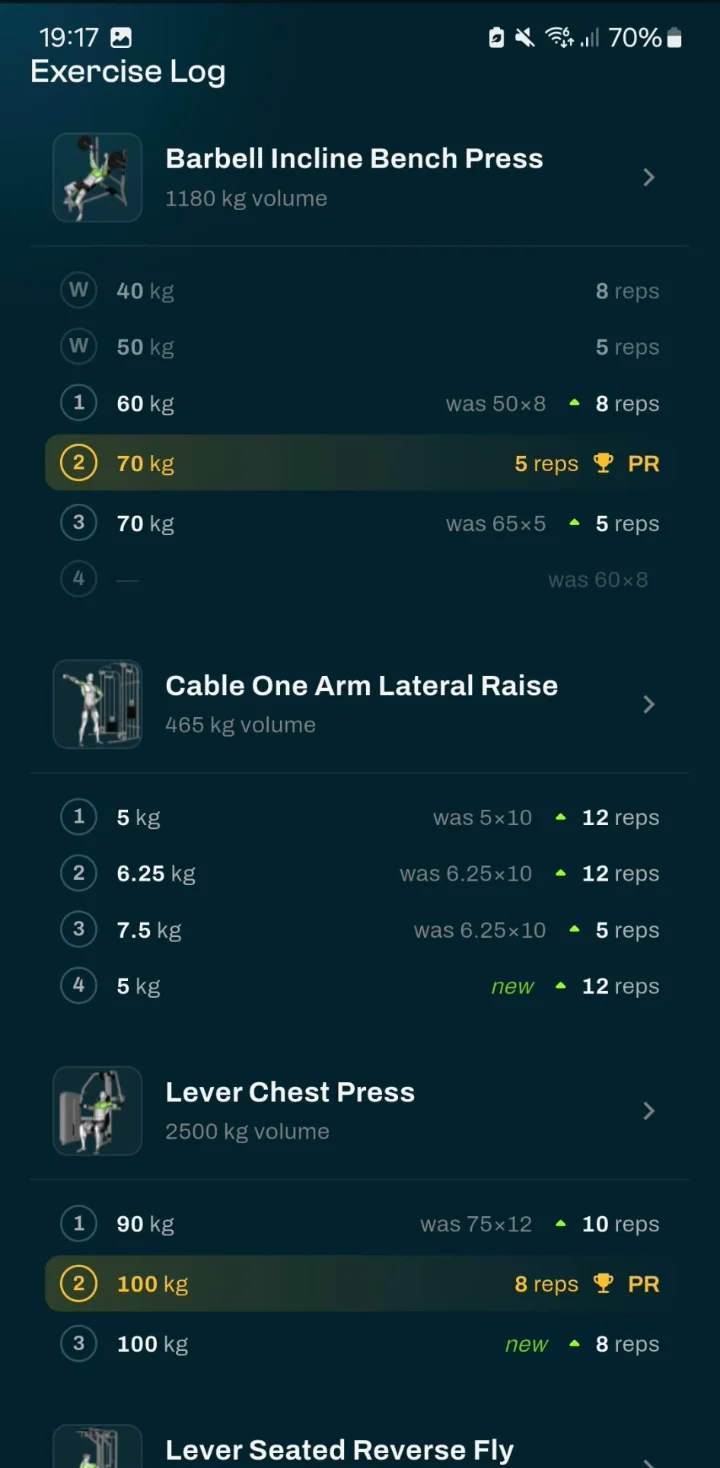
Exercise log in the GrabGains app with each set next to the previous session and new personal records

Weight suggestion and progression

A suggested weight for every exercise

Progressive overload is the starting point for muscle gain: over time you do a little more than before, within the rep range of your goal. For each exercise the app suggests a weight based on your recent workouts and how heavy your sets felt. Did it go well? Then it can suggest more weight, reps or sets for your next workout.

The weight step is 2.5 kg on compound lifts and 1.25 kg on isolation exercises, and your previous session is one tap away while you log.

  • Suggested weight and reps for every exercise
  • Your previous session set by set, one tap away
  • A rest timer that keeps running on your lock screen
Grow screen with weekly sets per muscle group, the glutes in the growth zone
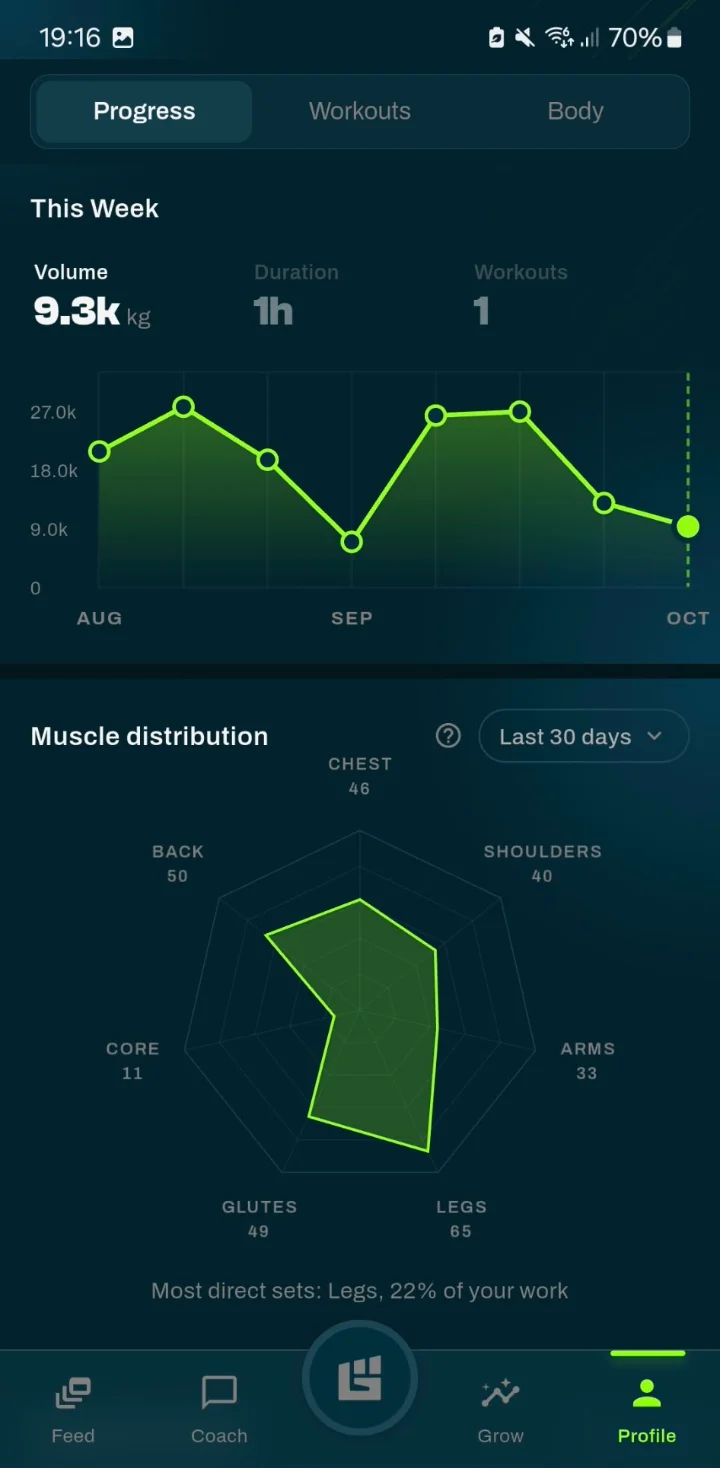
Progress screen with weekly training volume and muscle distribution

Volume per muscle group

See which muscle groups get enough sets

The number of sets per muscle group per week is one of the main variables in muscle building. Grow shows how many sets each muscle group got in the last 7 days, from maintenance to growth zone, so you see which muscles get plenty of work and where there is room for more.

The progress screen adds your weekly volume and how it is distributed across your muscle groups. Muscle Zone Tracking is part of Pro.

  • Sets per muscle group over the last 7 days
  • Each muscle from maintenance to growth zone
  • Weekly volume and muscle distribution on the progress screen
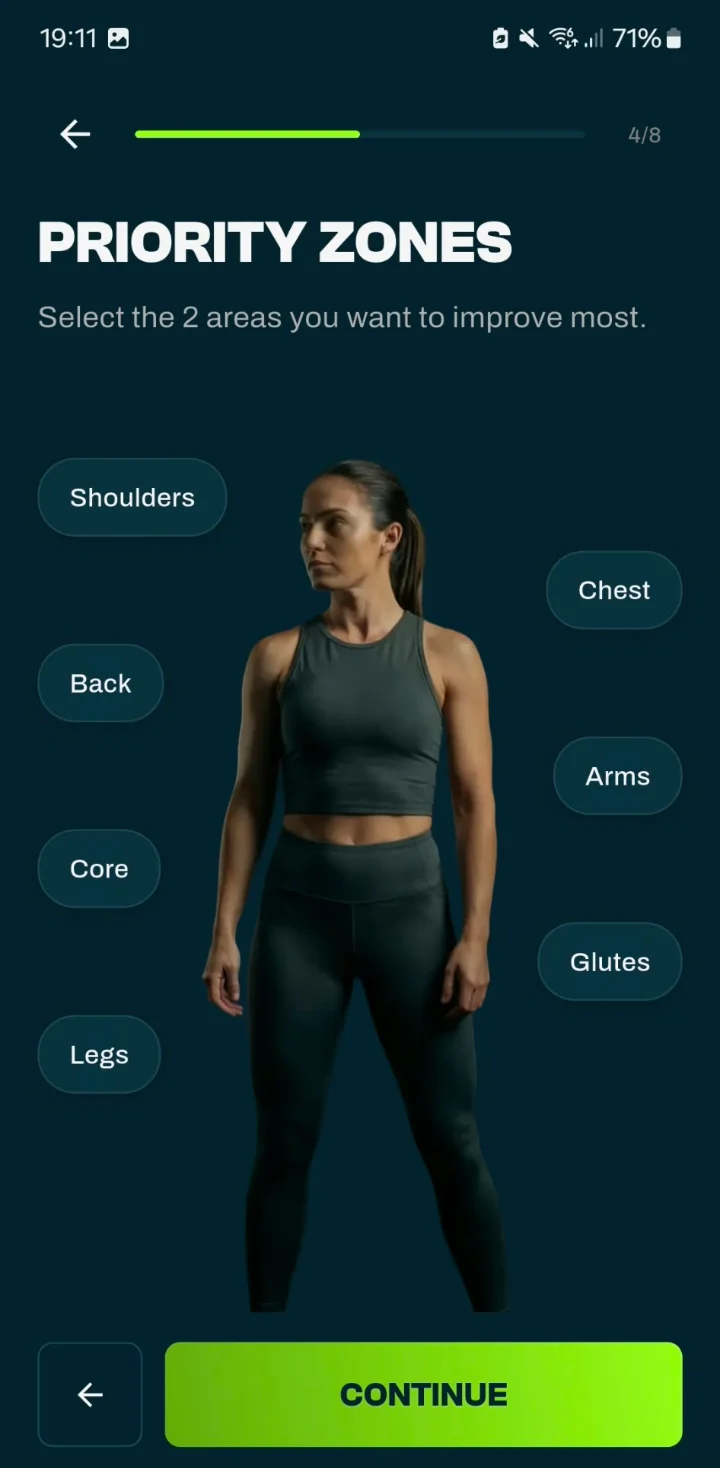
Choosing Priority Zones in the GrabGains app: the two areas you want to improve most

Priority Zones

Extra emphasis on the muscles you want to grow

Want to add size to your shoulders, chest, arms or glutes in particular? Choose up to two Priority Zones and your plan puts extra emphasis on them. Prefer an even split? Choose No focus. In Grow you then follow how many sets those muscle groups get.

  • Up to two Priority Zones, or No focus
  • Shoulders, chest, back, arms, core, glutes or legs
  • Follow the sets per muscle group in Grow
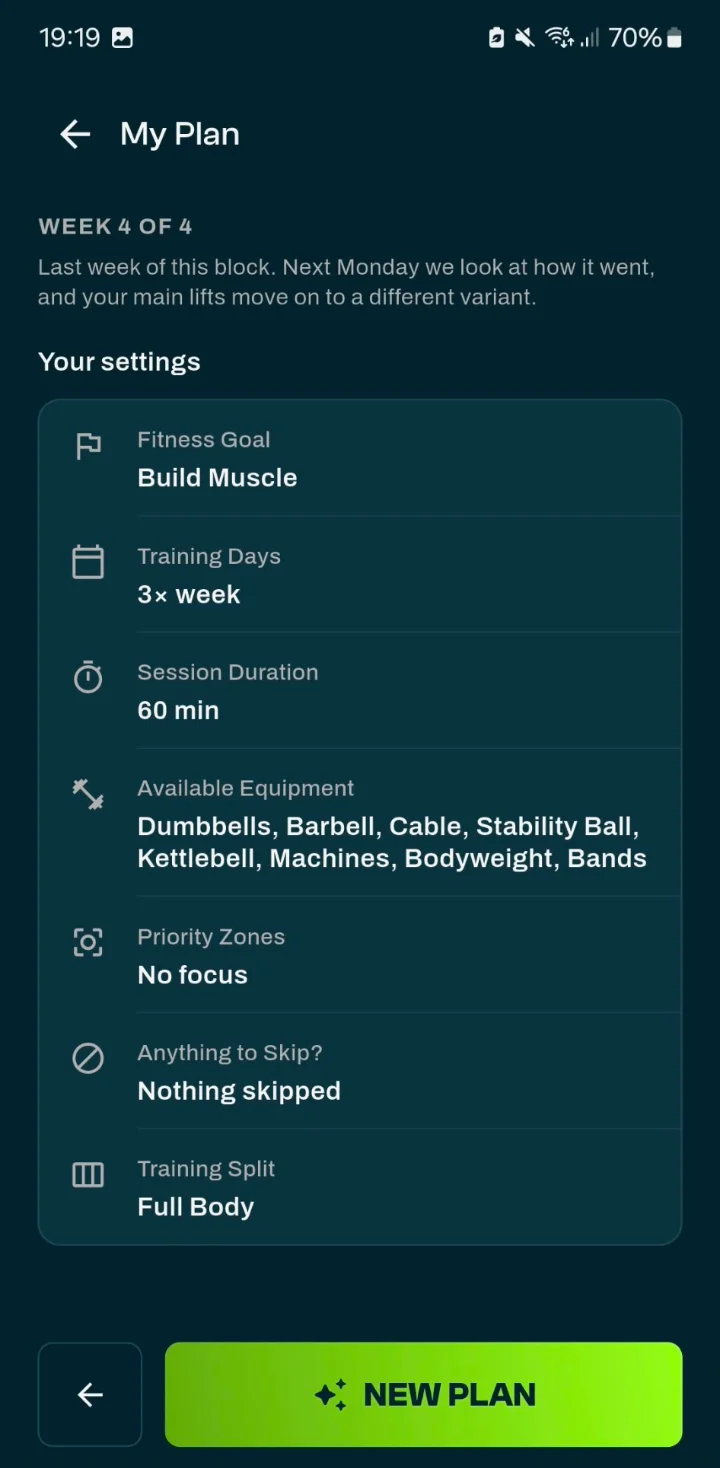
My Plan in the GrabGains app with Build Muscle as the fitness goal, training days and available equipment

At home or in the gym

Building muscle with the equipment you have

The app only uses exercises that fit the equipment you check off, with the same sets and reps for your goal. Only a pair of dumbbells at home? Then you get a complete dumbbell plan. In the gym, barbell, cable and machine exercises show up in your plan. With bodyweight only, your progress comes from reps, sets and harder variations.

  • Dumbbells, barbell, kettlebell, cables, machines, bands or bodyweight
  • Training somewhere else for a day? Change the equipment for that one workout
  • Swaps only offer alternatives that fit your equipment

In the app

What the app looks like

From today’s workout to your sets per muscle group: these are the screens you use while building muscle.

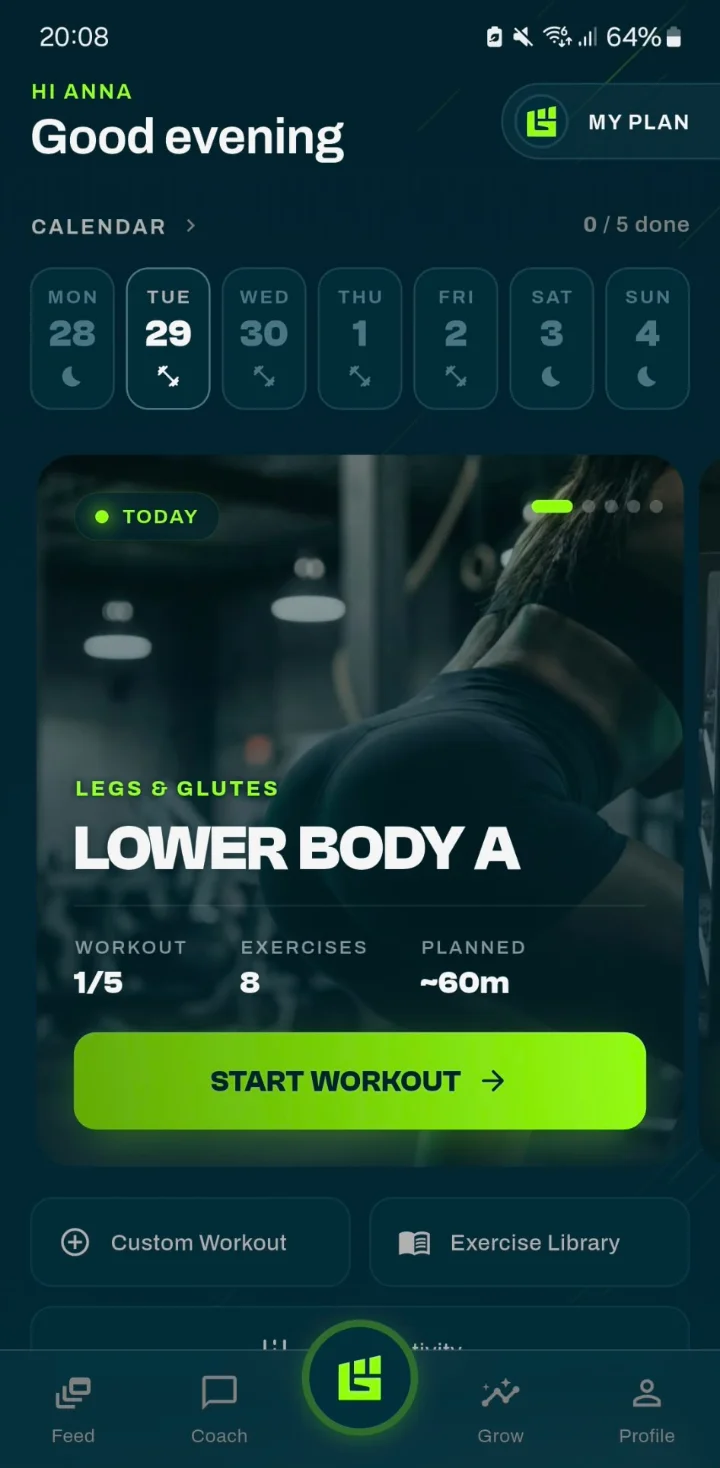
Home screen of the muscle building app with today’s workout and the training week

Today

Today’s workout is ready as soon as you open the app.

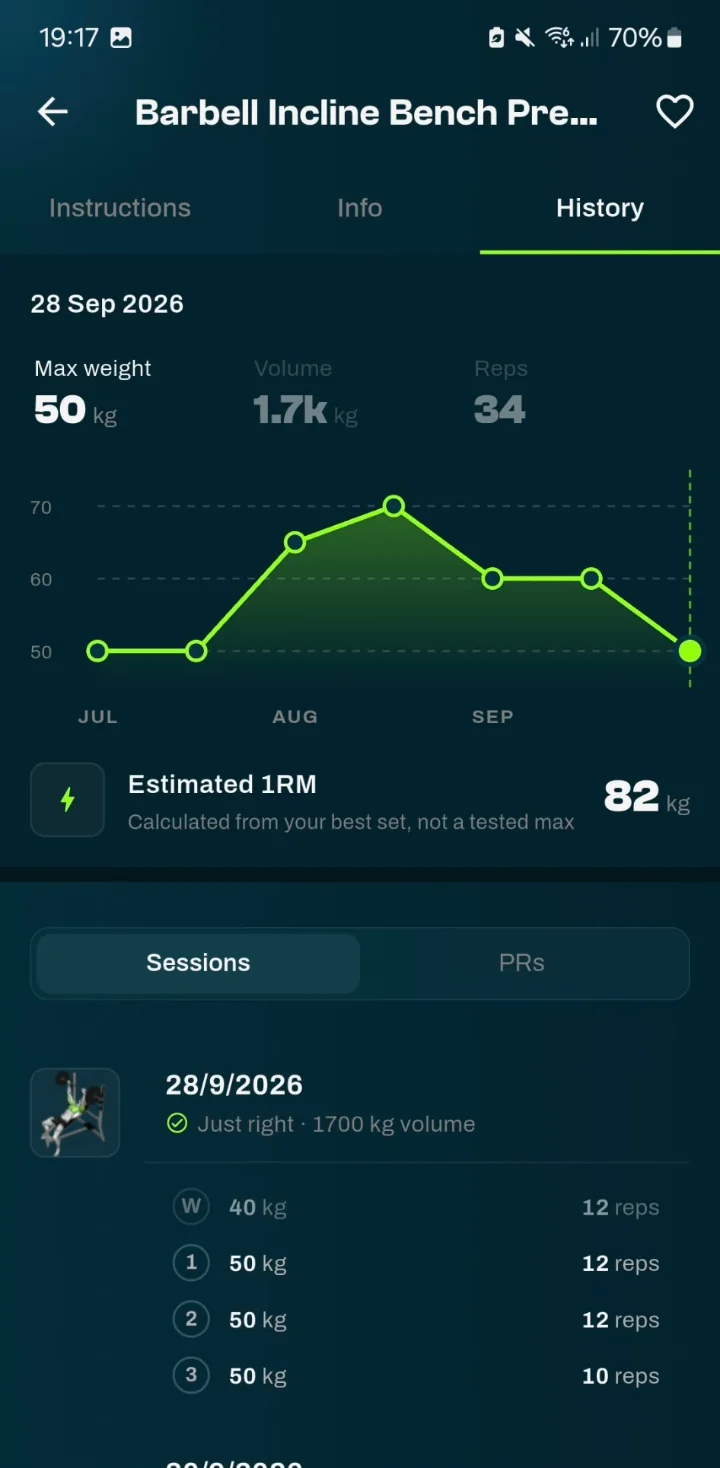
Exercise history in the muscle building app with max weight, a progress chart and estimated 1RM

Exercise history

Max weight, volume and reps per session for each exercise. The full history and your estimated 1RM come with Pro.

Progress screen with weekly training volume and muscle distribution

Progress

Your weekly volume and how it’s distributed across your muscle groups.

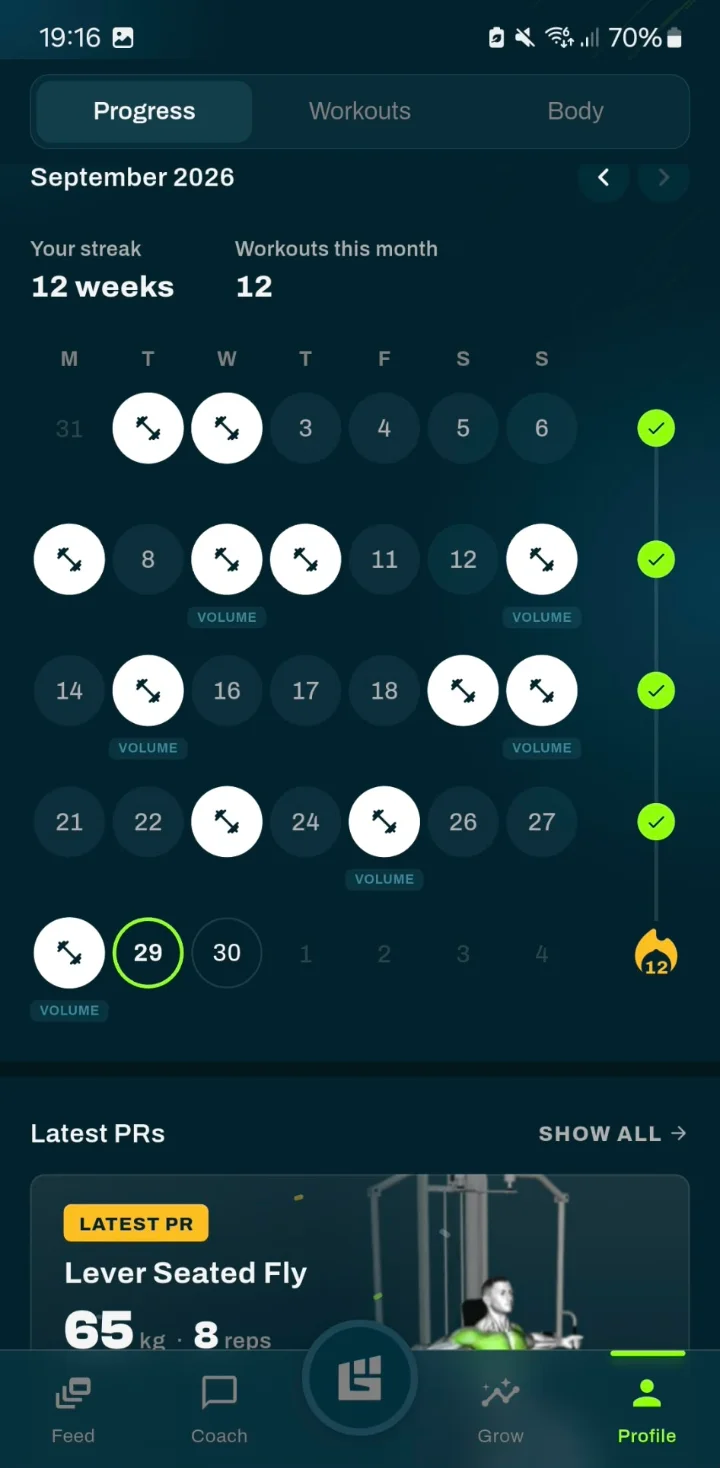
Training calendar with streak and latest personal records

Consistency

Your streak, training days and latest personal records.

Grow screen with weekly sets per muscle group

Grow

How many sets each muscle group got in the last 7 days, from maintenance to growth zone.

Choosing Priority Zones in the muscle building app

Priority Zones

Choose up to two muscle groups that need extra attention.

Free to download · 14 days of Pro

This is GrabGains

See the app in action

A workout from start to finish: opening your plan, logging your sets in the gym and the summary when you’re done.

Why GrabGains

What the app does for muscle building

Sets and reps for your goal

Build Muscle sets 8 to 12 reps on compound lifts and 10 to 15 on isolation exercises. You don’t have to work out that split yourself.

Progression per exercise

A suggested weight for every exercise, based on your recent workouts and how heavy your sets felt.

Every muscle group in view

Grow counts your sets per muscle group over the last 7 days, from maintenance to growth zone.

At home and in the gym

Your plan is built around the equipment you have. Training somewhere else for a day? Change the equipment for that one workout.

Ready to build muscle?

What a muscle building app should do

A good app for muscle gain does three things: it sets up sets, reps and rest for muscle growth, it suggests a weight for your next workout based on what you lifted, and it shows how your volume is spread across your muscle groups. Without those three you are left with a log you have to interpret yourself.

01

Smart Workouts

You enter your goal, experience, training days and equipment. With Build Muscle the plan uses 6 to 8 exercises per workout in the 8 to 12 and 10 to 15 rep ranges, while you stay in control of exercises, scheduling and intensity.

Explore the training plan app
02

Muscle Zone Tracking

Your weekly sets per muscle group, from maintenance to growth zone, and how your volume is distributed. You see which muscle groups fall behind and where there is room for more sets.

Track your progress
03

Records and insights

Personal records, an estimated one-rep max, streaks and a training calendar. Weekly and monthly reviews show where you’re getting stronger and how consistently you train.

Weekly and monthly reviews
04

Bodyweight trend

Log a weigh-in on your profile, optionally with your body fat percentage, and follow the trend. Free and private: weigh-ins don’t appear in the feed, on leaderboards or on your public profile.

Weight loss workout app
05

Lift Heavier as your goal

Is strength your main goal rather than size? Lift Heavier uses 4 to 6 exercises per workout, with 4 to 5 sets of 4 to 6 reps and 180 seconds of rest on compound lifts.

See the weight training app
06

Stronger together

Follow friends, share workouts and celebrate personal records together. Compare your performance and consistency on the leaderboards.

Discover the app

Comparison

Spreadsheet, separate tracker or a plan for muscle gain

A spreadsheet is free and flexible, but you work out sets, reps and progression yourself. A separate tracker logs what you did, but doesn’t plan your next step. GrabGains sets up the plan for your goal, suggests the next weight and counts your sets per muscle group in the same app.

What you want Excel or paper Separate tracker GrabGains
Sets and reps for muscle building Build it yourself Usually not Build Muscle: 3–4 × 8–12
A suggestion for your next workout No Limited Weight suggestion per exercise
Sets per muscle group per week Calculate it yourself Rarely Grow
Extra emphasis on specific muscles Plan it yourself Usually not Up to two Priority Zones
Bodyweight trend Separate list Sometimes Free and private

Fitness enthusiasts

What our community says

Really like the functionality of this app. It gives you reminders, personalized workouts to achieve your goal and tips on how to perfrom them. The perfect app for me!

Mc

MckPrk

5 out of 5 · App Store

Super good app with great workouts and a strong AI coach. Easy to track your progress and really motivating to keep training. Definitely recommend it

Dc

Dcro1

5 out of 5 · App Store

Really helped me track my progress, great and easy to use! Recommend this app to everyone.

Ka

Kathrinmv1997

5 out of 5 · App Store

Good to know

Frequently asked questions

What is the best app for building muscle?

A good muscle building app sets up sets, reps and rest for muscle growth, suggests a weight for your next workout and shows your volume per muscle group. In GrabGains you choose the Build Muscle goal for that: compound lifts get 3 to 4 sets of 8 to 12 reps, isolation exercises 3 sets of 10 to 15, and Grow shows your weekly sets per muscle group.

How many sets and reps does the app use for muscle gain?

With the Build Muscle goal, a workout has 6 to 8 exercises as standard. Compound lifts get 3 to 4 sets of 8 to 12 reps with 120 seconds of rest. Isolation exercises get 3 sets of 10 to 15 reps with 75 seconds of rest. When the weight goes up, the step is 2.5 kg on compound lifts and 1.25 kg on isolation exercises.

What is the difference between Build Muscle and Lift Heavier?

Lift Heavier is set up for strength: 4 to 6 exercises per workout, 4 to 5 sets of 4 to 6 reps on compound lifts and 180 seconds of rest. Build Muscle uses more exercises and more reps: 6 to 8 exercises, 3 to 4 sets of 8 to 12 reps and 120 seconds of rest. Isolation work moves from 8 to 10 reps to 10 to 15.

How does the app know when to increase the weight?

For each exercise the app suggests a weight based on your recent workouts and how heavy your sets felt. Did it go well? Then it can suggest more weight, reps or sets for your next workout. With bodyweight exercises, progress comes from extra reps and sets, and when you reach the top of the rep range the app can suggest a harder variation.

How many sets per muscle group per week do I need?

That depends on your experience, recovery and available time. You choose how many days a week you train, and Grow shows how many sets each muscle group got in the last 7 days, from maintenance to growth zone. GrabGains provides general fitness and training information only and is not a medical service. Consult a healthcare professional before starting a new training program.

Can I build muscle at home with the app?

Yes. You check off the equipment you have, from bodyweight only to a full home gym, and your plan is built around it with the same sets and reps for your goal. Training somewhere else for a day? Change the equipment for that one workout. Swaps only offer alternatives that fit your equipment.

Can I track my bodyweight while building muscle?

Yes. You log a weigh-in on your own profile, optionally with your body fat percentage, and see the trend of your weight, and of your body fat if you measure it. Weight tracking is free and private: your weigh-ins don’t appear in the feed, on leaderboards or on your public profile.

Does the app track nutrition or protein?

No. GrabGains doesn’t track food, protein or calories. The app covers the training side of muscle building: your plan, your sets and weights, your volume per muscle group and the trend of your bodyweight. If you want to track what you eat, you do that outside the app.

Is the GrabGains muscle building app free?

The app is free to download and new accounts get 14 days of Pro for free. The free Basic version lets you log workouts, browse the exercise library, track personal records and log your weight. Generating Smart Workouts, Muscle Zone Tracking, the AI coach and adjusting a workout to how you feel are part of Pro. Pro prices are shown in the App Store and Google Play.

Further reading

Download the app

Start building muscle with a plan that fits you

Choose Build Muscle, set your level, training days and equipment, and complete your first Smart Workout within minutes.

Free download · 14-day free trial