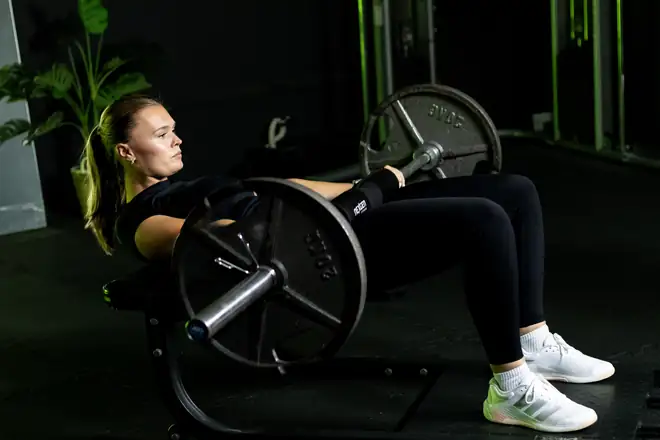
Keeps going without your phone
Your watch saves the workout as you train and sends it to your phone once it is back in range. You need no connection while you train.
Apple Watch and Wear OS
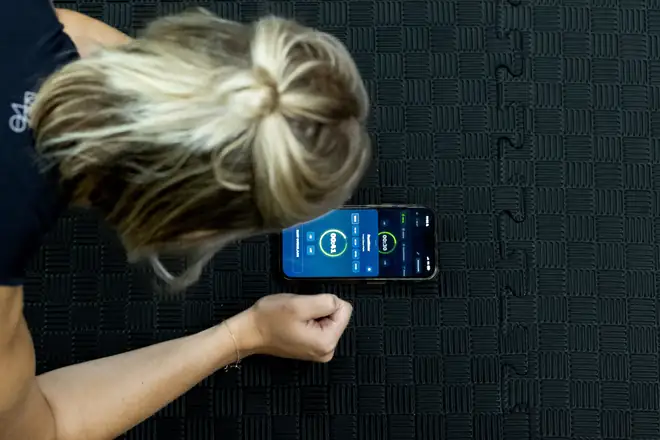
Leave your phone in your bag. On your Apple Watch or Wear OS watch, GrabGains shows today's workout, the weight to aim for and what you did last time. Log each set with a tap, feel the rest timer on your wrist and track runs with the watch's own GPS.


Strength
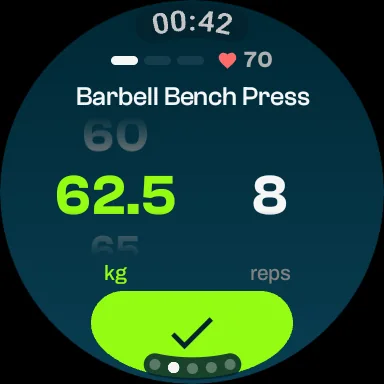
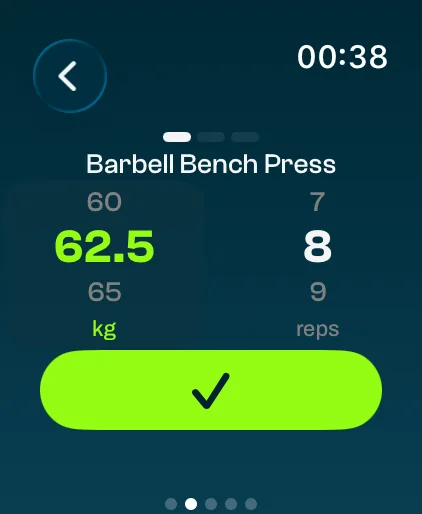
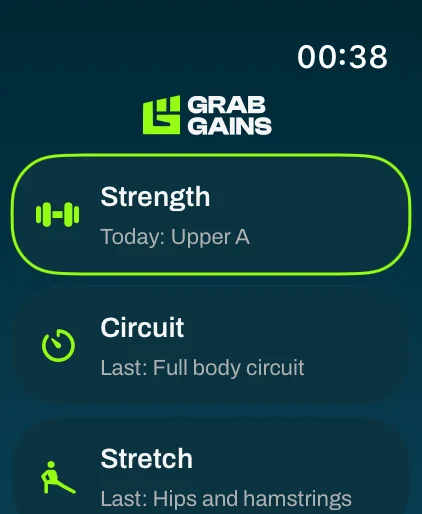
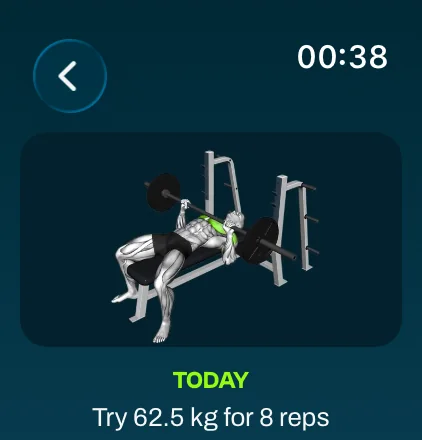
Open GrabGains on your watch and the workout planned for today is at the top, with the rest of your week and your routines below it. Every exercise shows its video, the weight GrabGains suggests for today, what you did last time and your own note.
Log and rest
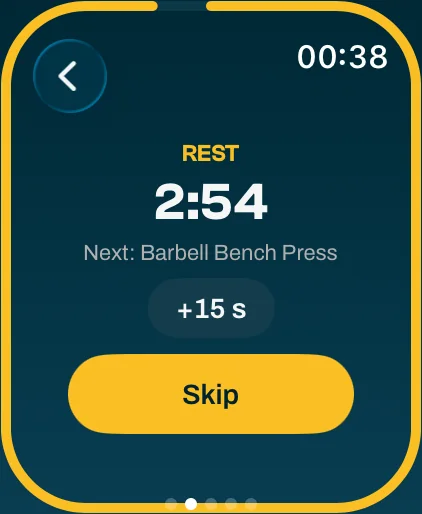
Weight and reps are filled in for you. Turn the crown to change them, tap the check mark and the set is logged, in kg or lbs. The rest timer starts by itself and buzzes as it runs out, with +15 seconds and skip when you need them. Supersets follow the order of your plan: you only rest after the last exercise of the superset.
Mid-workout changes
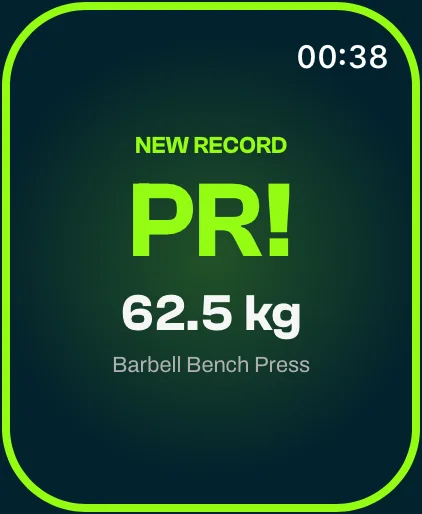
A gym rarely goes exactly to plan. Replace an exercise with a similar one, add or remove one, add a set or a warm-up set, or correct a set you already logged, all from your watch. Hit a new personal record and you see it on your wrist straight away.
Run, walk, ride
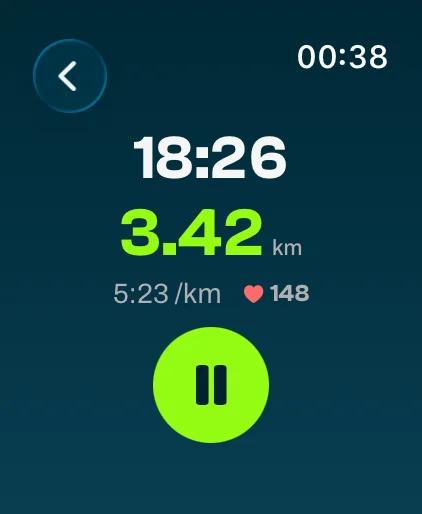
Start a run, walk or ride on your watch and leave your phone at home. The watch measures time, distance and pace, or speed on the bike, shows your heart rate and taps your wrist at every kilometer or mile. Once your phone is back in range, it becomes a normal GrabGains activity with your route on a map, trimmed at the start and end like every route.
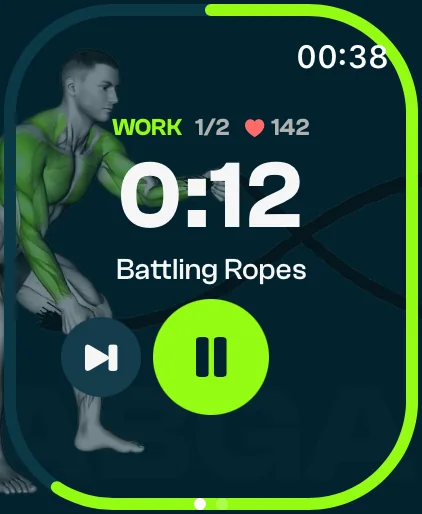
Circuits and stretching
Circuits and stretch sessions you did on your phone appear on your watch, ready to run again. The clock runs on your wrist and taps you before each work block ends and before the next one starts. The exercise video plays behind the timer, and you can pause, skip or add 15 seconds of rest.
Why GrabGains
The watch app is part of Pro and works together with GrabGains on your iPhone or Android phone. Everything you do on your watch ends up in the same training history as your phone workouts.
Your watch saves the workout as you train and sends it to your phone once it is back in range. You need no connection while you train.
See your heart rate live during a workout, run or circuit. GrabGains never sends it to your phone or our servers and does not store it.
If you allow it, every finished workout is saved to Apple Health, with the route of your run, walk or ride.
Today's workout, or the one you are doing, one swipe from your watch face. One tap and you start.
When you finish a workout or run on your watch, you choose whether it goes to your feed.
Sets from your watch land in the same history, records and progress as your phone workouts.
Workout trackerFitness enthusiasts
Really like the functionality of this app. It gives you reminders, personalized workouts to achieve your goal and tips on how to perfrom them. The perfect app for me!
MckPrk
5 out of 5 · App Store
Super good app with great workouts and a strong AI coach. Easy to track your progress and really motivating to keep training. Definitely recommend it
Dcro1
5 out of 5 · App Store
Really helped me track my progress, great and easy to use! Recommend this app to everyone.
Kathrinmv1997
5 out of 5 · App Store
Good to know
Apple Watch with watchOS 10 or later, paired with an iPhone, and Wear OS watches with Wear OS 3 or later, such as the Galaxy Watch 4 and newer, paired with an Android phone. In both cases you need the GrabGains app on your phone.
The watch app is part of Pro. New accounts get 14 days of Pro for free, so you can try it on your watch straight away. Without Pro, your watch shows that it is a Pro feature. A workout you already finished on your watch still reaches your phone.
No. Your watch saves the workout while you train, including a run with the watch's own GPS, and sends it to your phone once it is back in range. Your plan comes from the GrabGains app on your phone; there is no separate login on the watch.
No. Your heart rate is shown live on your watch during a workout, run or circuit, and in the summary at the end. GrabGains does not send it to your phone or to our servers, and does not store it. On Apple Watch the finished workout can be saved to Apple Health if you allow that; GrabGains does not read anything from it.
Not yet. Circuits and stretch sessions you did on your phone appear on your watch, ready to repeat, up to four recent ones of each. You build a new circuit on your phone.
On a Wear OS watch, install GrabGains from Google Play on the watch. On Apple Watch, open the Watch app on your iPhone and install GrabGains under Available Apps. Then open GrabGains on your phone once and your plan goes to your watch. In the app, Settings, Smartwatch shows whether your watch is connected.
Download the app
Download GrabGains on your phone, start with 14 days of Pro for free and open the app on your Apple Watch or Wear OS watch.