Finding the best workout app for your fitness goals
Discover how to choose the right workout app to achieve your fitness goals. This guide covers key features, app types, and a plan to get you started. A modern workout app is so much more than a digital list of exercises. Think of it as an intelligent guide—part personal trainer, part data analyst, and part motivator, all living in your pocket. These powerful tools are designed to bring structure to your fitness, offer expert guidance, and give you the data-driven feedback you need to train smarter and see real results.
What is a modern workout app?
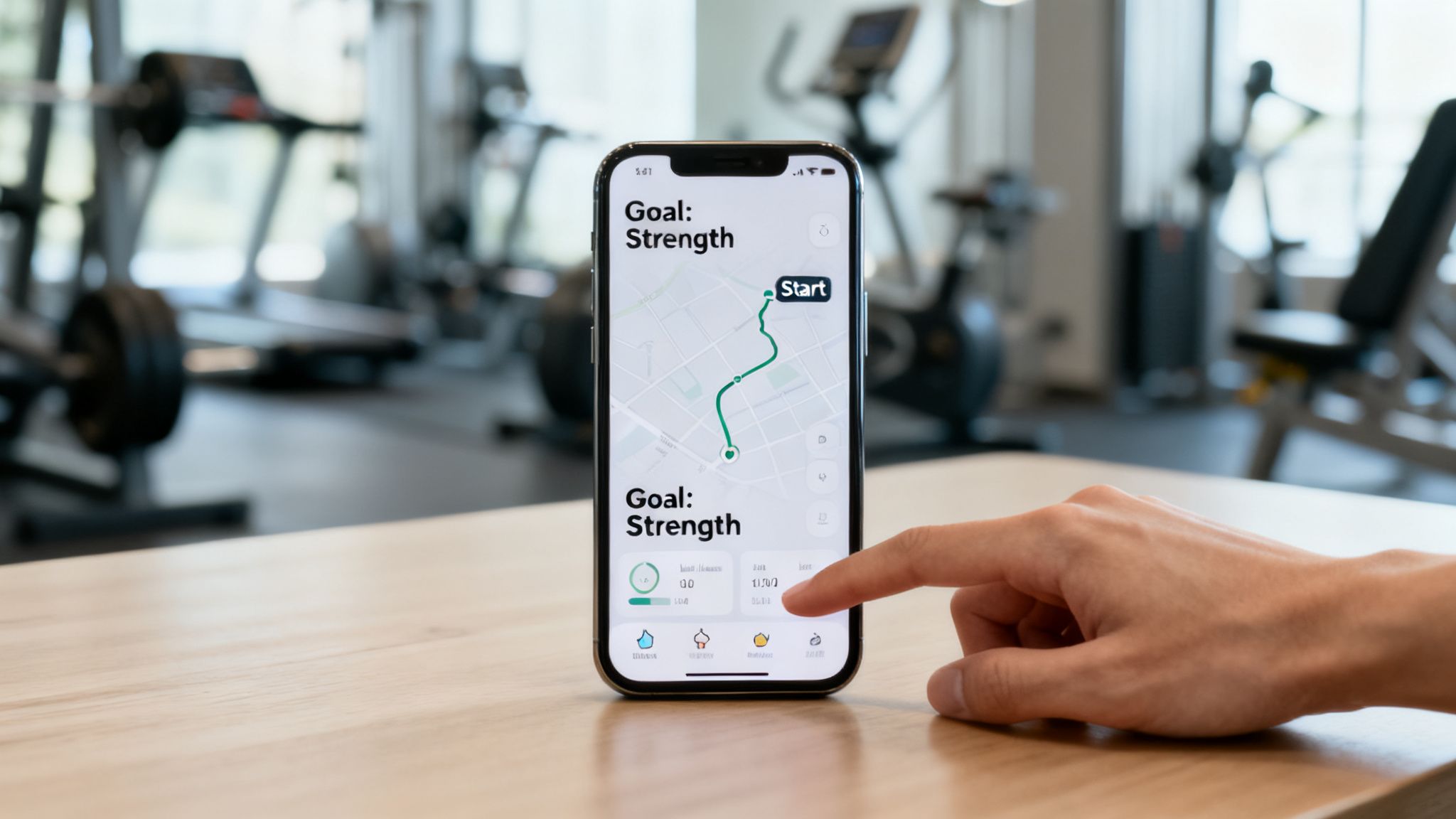
A great workout app is like a GPS for your fitness journey. It doesn't just show you a map of exercises; it calculates the best route based on your specific destination (your goals), your current location (your fitness level), and real-time conditions (your performance).
Gone are the days of static, one-size-fits-all plans. Today’s top apps have moved beyond simple digital logs to become intelligent platforms. They’re built to adapt as you get stronger, making sure you never get stuck in a rut or hit a frustrating plateau. If you’ve ever felt lost in the gym or discouraged by a lack of progress, the right app can provide the structure and clarity you've been missing.
Built for progress
Take the guesswork out of training
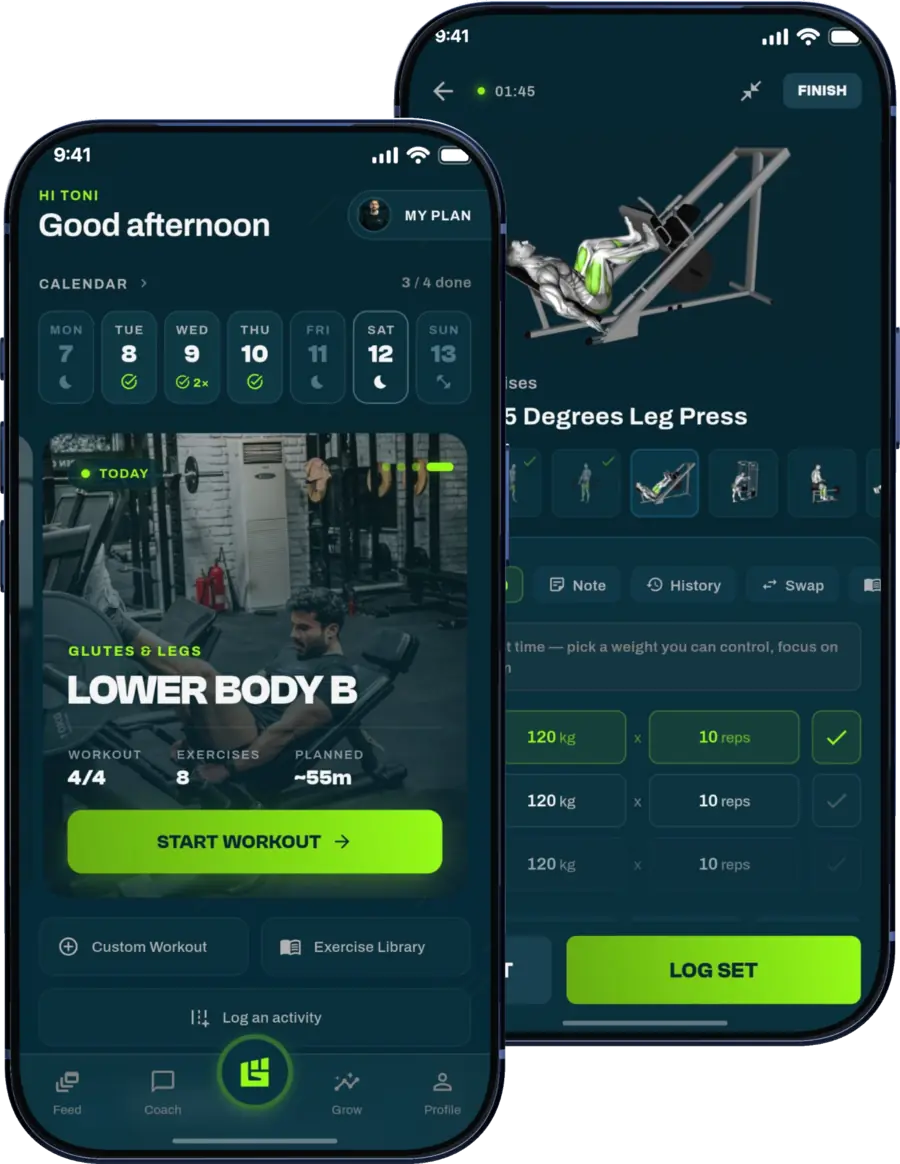
Get a personalized workout plan built around your goal, equipment and schedule. Train smarter, track every rep and keep moving forward, one workout at a time.






How a workout app guides your training
The main job of a workout app is to give you a clear, actionable plan. Instead of walking into the gym wondering what to do next, the app lays out your entire session, from warm-up to cool-down. This structured approach takes the guesswork out of training and builds consistency—the bedrock of any successful fitness routine.
Modern apps make this happen through a few key functions:
- Personalized programming: They build workouts based on what you want to achieve, whether that's muscle growth, better endurance, or weight loss.
- Progressive overload: The best apps automatically adjust variables like weight, reps, or sets as you improve, ensuring you're always challenged enough to keep making progress.
- Form and technique guidance: With huge video libraries, they show you how to perform each movement correctly and safely, which is critical for reducing your risk of injury.
A workout app transforms your phone from a source of distraction into a dedicated training partner. It holds your plan, tracks your history, and provides the insights needed to make every session count toward your ultimate goal.
Ultimately, a well-designed workout app gives you the tools and knowledge that were once only available from a personal trainer. To see how these features come together in a powerful, user-friendly platform, you can learn more and discover the GrabGains app to start your journey.
Comparing the different types of workout apps
Picking a workout app is a lot like choosing a training partner—the right one depends entirely on your goals, your style, and how much of a push you really need. Not all apps are created equal, and figuring out what makes each type tick is the first step to finding the one that just clicks.
The fitness app market is absolutely exploding. It’s projected to jump from $12.5 billion in 2026 to over $32.4 billion by 2033. That massive growth, analyzed by Persistence Market Research, means we have more options than ever.
Let's break down the main categories to see which one fits you best.
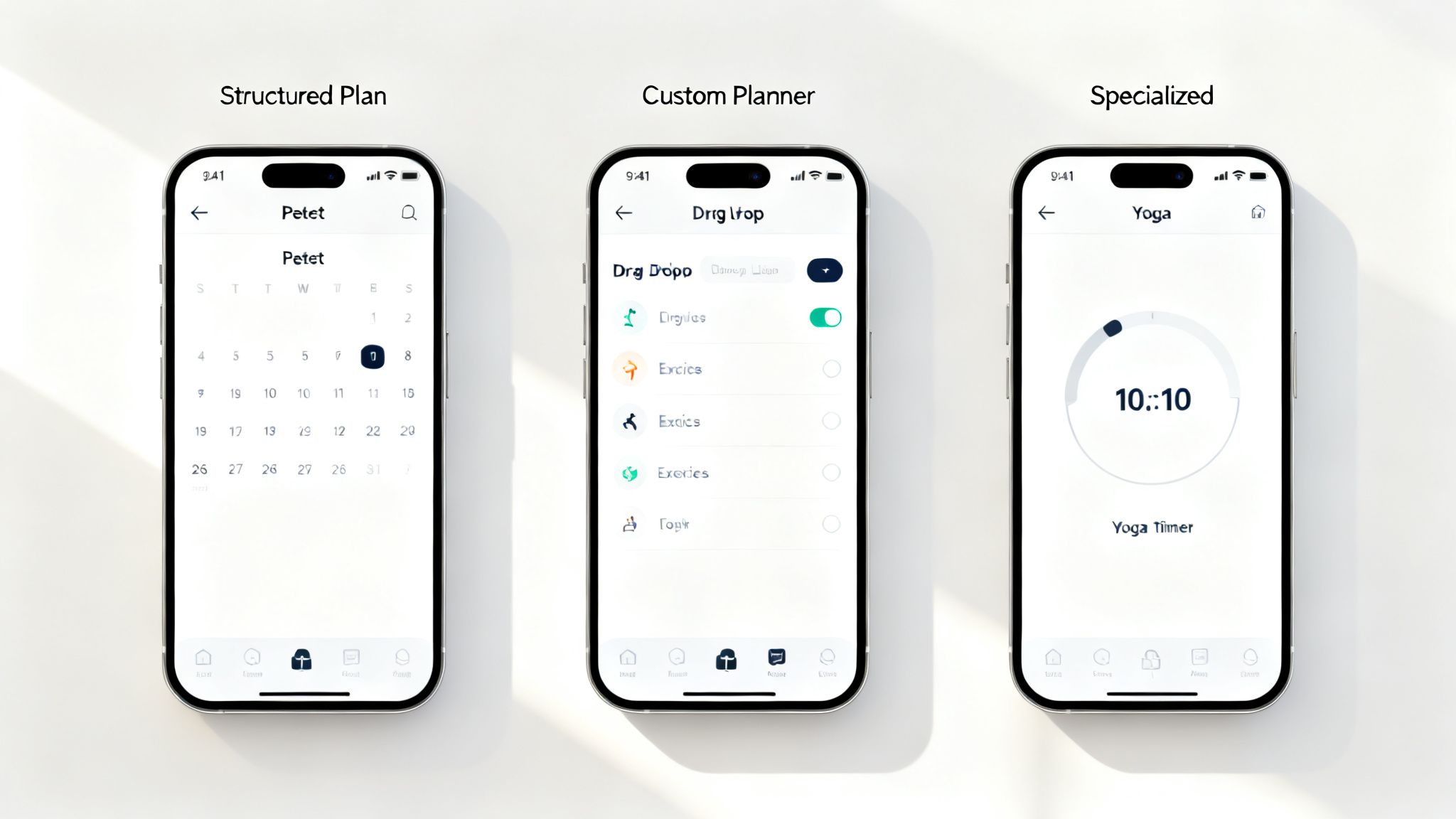
To make it easier to see how these app types stack up, here’s a quick comparison.
Workout app types compared
| App Type | Best For | Ideal User | Example Feature |
|---|---|---|---|
| Guided Programs | Following a proven path to a specific goal (e.g., muscle gain, fat loss). | Beginners or anyone who wants structure without the guesswork. | A pre-set, 8-week strength training plan with video guides. |
| Customizable Planners | Building or tweaking workouts to fit your exact needs and preferences. | Intermediate-to-advanced lifters who know their way around a gym. | A drag-and-drop workout builder with a full exercise library. |
| Specialized Apps | Training for a single discipline, like HYROX, yoga, or marathon running. | Athletes with a very specific, singular training focus. | A HYROX-specific timer that tracks splits for each station. |
Each of these styles offers something different, so the "best" one is really about what helps you show up and get the work done consistently.
Guided workout programs
Think of these apps as a complete curriculum for your fitness journey. They lay out multi-week plans, often designed by expert coaches, to guide you step-by-step toward a specific outcome, whether that's building muscle or running your first 5K.
If you want to take the guesswork out of training and just follow a proven roadmap, this is your best bet. Progression is already built-in, making them fantastic for beginners who need that clear direction. The only real downside? They can feel a bit rigid if you need to make changes on the fly.
Customizable workout planners
If you're the type who likes to be in the driver's seat, a customizable planner is your perfect match. These apps are like a build-your-own-adventure for your training. They give you the tools to create workouts from scratch or modify existing templates to fit your needs.
These are golden for intermediate and advanced lifters who understand training principles and want to design their own routines. For instance, you could use a workout builder to craft a push-pull-legs split that's perfectly tailored to the equipment at your gym and your current strength levels. That flexibility is their biggest advantage.
For the self-directed athlete, a customizable planner offers unparalleled freedom. It empowers you to apply your own knowledge and adapt on the fly, making it a powerful tool for long-term, personalized progress.
Specialized and niche training apps
Finally, some apps go all-in on a single discipline or event. You’ll find apps dedicated entirely to yoga, marathon training, or functional fitness races like HYROX. These are built from the ground up for people with one specific training goal.
The upside is that you get highly specific programming, access to a community of like-minded athletes, and tools designed for that exact activity. The trade-off is their laser-focus; they aren't a great fit if you like variety or have multiple fitness goals you're chasing at once.
What every great workout app needs
So, what separates a simple digital log from a workout app that actually gets you stronger? It's more than just a place to type in your sets and reps. A truly great app acts like a training partner—one that's smart, safe, and built to make you better.
Without the right tools, an app is just a fancy notepad. With them, it's a game-changer.
The demand for these features has exploded. The fitness app market is on track to hit USD 10.5 billion by 2026, a massive jump that started when gyms shut down and everyone started tracking their health more closely. You can get the full story on this growth from KBV Research's market analysis.
So, what should you actually look for? Here are the five must-have features that define a top-tier workout app.
Smart adaptive routines
A static, PDF-style workout plan is a dead end. It can’t grow with you. A great workout app, on the other hand, should use some form of intelligence to learn from your performance. If you're consistently nailing your bench press targets, the app needs to know it’s time to add more weight.
This is the digital version of a personal trainer seeing you get stronger and telling you to put another plate on the bar. It takes the guesswork out of progressive overload—the number one rule for building muscle—and keeps you moving forward.
A comprehensive exercise library
Bad form is the fastest way to get hurt and stop making progress. It’s that simple. The best apps come loaded with a deep library of exercises, each with clear video demos and step-by-step instructions.
This is non-negotiable, whether you’re a beginner learning a new lift or an experienced lifter trying a new variation. It gives you the confidence to walk into the gym and execute your workout safely. You should be able to look up an exercise in seconds and see exactly how it’s done.
An adaptive routine is the brain of your workout app, but the exercise library is its conscience. One pushes you to get stronger, while the other makes sure you do it right.
Smart progress tracking and analytics
You can't improve what you don't measure. A quality app has to do more than just record your sets and reps; it needs to show you what that data actually means with visual analytics.
Look for features that let you see your progress at a glance:
- Volume and PR tracking: Automatically logs your personal bests and total workout volume so you can see how much work you're putting in.
- Visual charts: Easy-to-read graphs that show your strength gains for specific lifts over weeks and months.
- Body measurement logs: A place to track changes in weight, body fat, and muscle size to see the bigger picture.
Built-in fitness calculators
Making informed decisions is key to getting real results. An elite app builds essential tools right in, so you're not constantly jumping between different websites or apps to figure things out. Calculators for your one-rep max (1RM) or daily macros are a must.
Having these utilities integrated, like the ones in GrabGains, puts critical info right where you need it, when you need it.
Resilience to dropped connections
Your workout shouldn't die just because your gym's Wi-Fi does. Whether you train in a basement with spotty service or you're traveling, a stable connection isn't always a given. A great app makes sure your session in progress isn't lost if the connection drops for a moment.
How to choose the right workout app for you
Picking a workout app isn't about finding the one "best" app—it's about finding the best app for you. The right choice fits your goals, lifestyle, and experience level, becoming a genuine training partner instead of just another icon on your home screen.
You're jumping into a huge market, too. The fitness app space is expected to hit USD 13.92 billion by 2026 and keep climbing toward USD 33.58 billion by 2033. All that growth, fueled by new tech and a bigger focus on health, means more specialized options than ever. You can read more about these fitness app market trends on grandviewresearch.com.
So, how do you cut through the noise? Start by asking a few simple questions.
Define your primary fitness goal
Your main goal is the single most important filter. An app built for marathoners won't do you much good if you're trying to build muscle, and a powerlifting log is useless for a HYROX athlete. Get specific.
- For muscle growth: You need an app with a deep exercise library, features for progressive overload, and a flexible workout planner. The goal is to track your lifts and systematically add weight or reps.
- For endurance: Look for apps with dedicated programs for running, cycling, or functional fitness events like HYROX. These often come with specific timers, pacing tools, and training blocks designed around a race.
- For weight loss: The best apps here will combine guided workouts with nutrition tools, like a built-in macro calculator, to give you a complete picture.
This decision tree shows exactly how your goals should guide your feature choices.
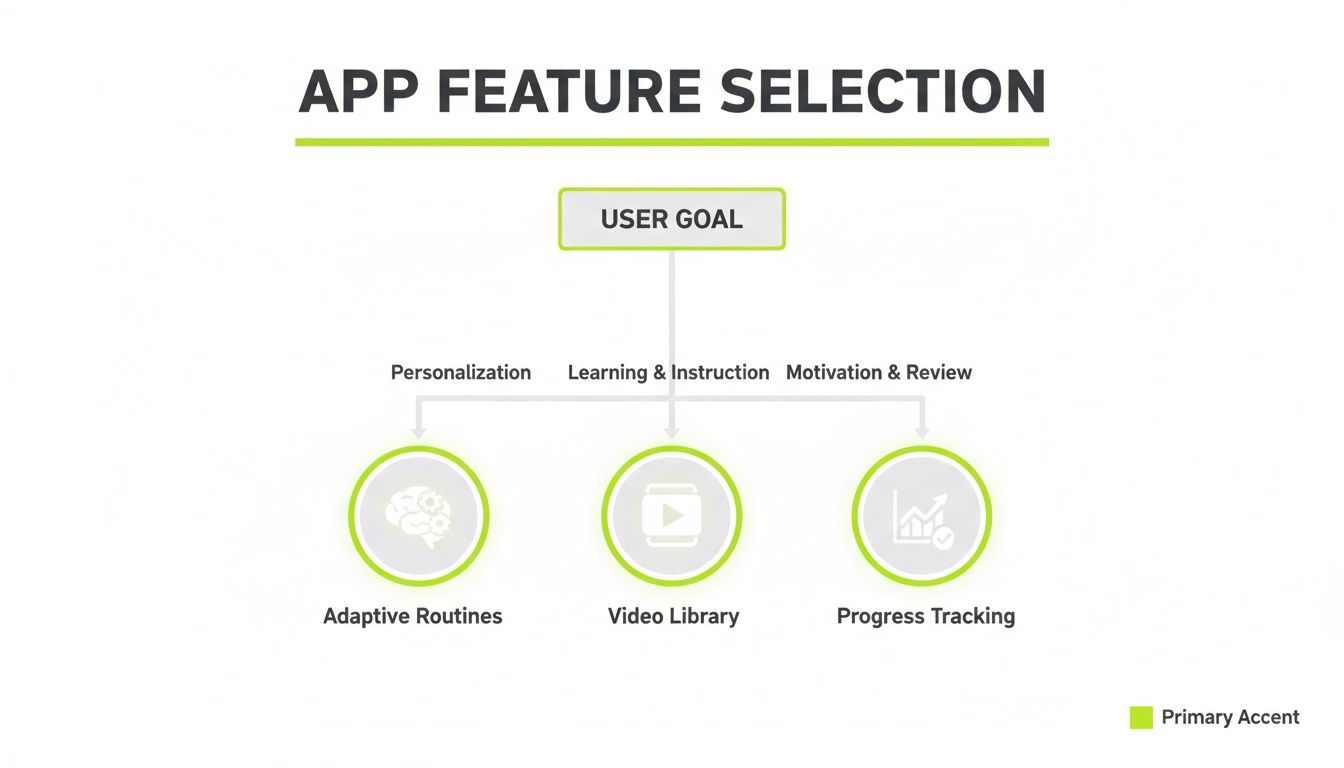
As you can see, features like adaptive routines and progress tracking are non-negotiable for anyone serious about hitting their goals.
Assess your experience and constraints
Once you know where you're going, you need to be honest about your starting point and any roadblocks. This is where most people go wrong—they pick an app for the athlete they want to be, not the one they are today.
If you're a beginner, you need an app with clear video demos and structured, guided programs that build your confidence and keep you safe. An experienced lifter, on the other hand, will probably want a customizable workout builder for total programming control.
Choosing the right workout app is a personal algorithm. You input your goals, experience, and constraints, and the output should be a tool that simplifies your fitness journey, not complicates it.
Finally, think about your real-world limitations. If you're a busy professional, you'll want an app that can generate quick, effective workouts you can knock out in 30 minutes. If you're training in a bare-bones home gym, you need an app with strong bodyweight or dumbbell-only programs.
Your budget matters, of course, but try to see a subscription as an investment in your health. When you frame it that way, the right choice usually becomes much clearer.
Your first week onboarding checklist
So you've picked a workout app—congratulations, that’s a huge first step. But the real work starts now. Those first seven days are make-or-break for turning a new download into a habit that actually sticks. This simple checklist is designed to cut through the noise and get you set up for success from day one.
Think of it like calibrating a new piece of high-tech gym equipment. You wouldn't just turn it on and hope for the best; you’d dial it in to fit your exact needs. Your new workout app is no different. A few key actions right now will make sure the app works for you, not against you.
Day 1 and 2: Lay the foundation
Your first job is to give the app the raw data it needs to build a truly personalized experience. Don't rush these steps—they directly impact the quality of the workouts you'll get.
- Set up your profile accurately: This is the most important step, period. Enter your correct age, weight, height, and current fitness level. This isn't just for show; it’s the foundation for everything the app calculates, from calorie burn estimates to your starting weight recommendations.
- Define your primary goal: Get specific. Select your main objective in the app, whether that’s “muscle growth,” “endurance,” or “weight loss.” This tells the algorithm what kind of programming to serve up.
- Explore the exercise library: Spend 15-20 minutes just browsing the video library. Get familiar with the core movements in your first few workouts. For instance, if you have a leg day coming up, you can review expert guides on different leg exercises to master your form before you even touch a weight.
Onboarding isn't just about setup; it's about building momentum. Each small action you take in this first week makes it that much easier to show up for the next one.
Day 3 to 7: Build consistency
With your profile dialed in and your first workout on the books, the rest of the week is about integrating the app into your real life.
- Plan and schedule: Use the app to schedule your workouts for the entire week. Seeing them blocked out in your calendar makes them feel like real appointments you can't miss.
- Enable notifications: Turn on the reminders. A simple nudge 30 minutes before your session can be the difference between hitting the gym and hitting the couch.
- Prepare ahead: Get your gym bag, clothes, and pre-workout meal ready the night before. Removing these tiny hurdles makes staying on track almost effortless.
Putting it all together with a 30-day plan
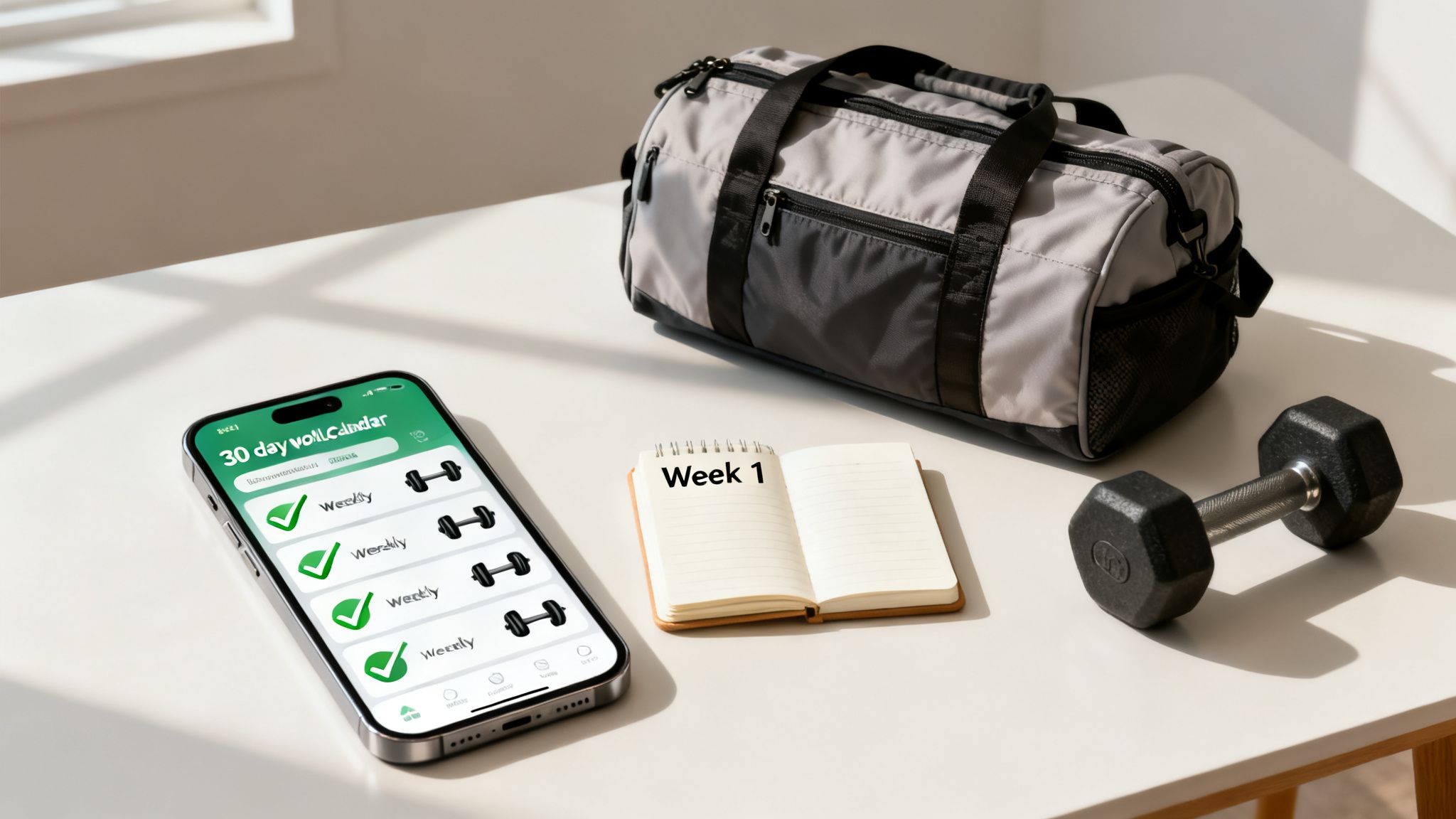
Theory is great, but seeing a workout app in action is where it all clicks. To show you how these features actually come together, let's walk through a sample 30-day plan using an app like GrabGains. We'll set a simple goal: building foundational strength.
This isn't just some generic schedule. Think of it as a story showing how a smart app guides you from day one. You'll see how the tools we've discussed—like video libraries and progress charts—become your go-to partners, turning the app from a piece of software into a coach in your pocket.
Week 1: Mastering your form
The first week is all about laying a solid foundation. Forget lifting heavy; the goal here is to move correctly and safely. Your app will likely schedule three full-body workouts centered on compound movements like squats, deadlifts, bench presses, and rows.
This is where the app’s exercise library is invaluable. Before you even touch a weight, you’ll watch the video demos to nail down the proper form for each lift. As you log your first few workouts, you’re not just exercising—you're establishing the baseline numbers the app needs for what comes next.
Week 2: Introducing progressive overload
With a week of solid form under your belt, it’s time to start pushing a little. This is where the app’s adaptive programming really shines. Based on your performance last week, it will start making small, calculated increases to the demands of your workout. This is progressive overload in action.
You might get recommendations like:
- Add 5 pounds to your squat.
- Aim for one extra rep on your pull-ups.
- Cut your rest time between sets by 15 seconds.
These tiny adjustments are what trigger muscle growth and strength gains. The app does the thinking for you, so you can pour all your focus into the effort. It ensures you’re always pushing just enough to adapt without risking injury. If you’re working on your posterior chain, you might even jump into guides on proper back exercise execution to support what the app is programming.
Week 3: Tracking your progress
By week three, you've logged enough data for the magic to happen. It's time to dive into the progress analytics. The app will generate charts that visually map your strength gains on key lifts, turning your hard work into something you can actually see.
A workout app turns abstract effort into concrete data. Seeing your squat numbers climb on a graph provides tangible proof that your consistency is paying off, fueling your motivation for the weeks ahead.
This data-driven feedback is a huge motivator. It confirms you’re on the right track and can even highlight areas that might need a little extra attention.
Week 4: Setting new benchmarks
In the final week, you get to see just how far you've come. After nearly a month of consistent training, your strength has noticeably improved. Now, you can use a feature like a 1RM calculator to estimate your new one-rep max for your main lifts.
This gives you a clear, updated benchmark of where your strength is right now. It also feeds the app fresh data to build your next month’s training block, ensuring your plan keeps evolving right along with you. In just 30 days, the app has taken you from learning the basics to confidently setting new strength goals.
Got questions? We've got answers
Jumping into a new workout app is a big step, so it’s smart to have a few questions. Before you commit, you want to be sure it's the right move for your fitness. We get it. Here are the most common questions we hear, with straight-to-the-point answers.
Are workout apps actually good for building muscle?
You bet. The best workout apps are incredibly effective for muscle growth because they’re built around one core principle: progressive overload. This is the non-negotiable key to getting stronger. A smart app handles this for you by automatically bumping up the weight, reps, or intensity as you progress.
Combine that with a solid exercise library to nail your form and detailed tracking to see how far you've come, and you've got the same structured plan a personal trainer would give you. It takes all the guesswork out of the equation, making sure every single workout pushes you closer to your goals.
I’m a total beginner. Is it safe to use a workout app?
Absolutely. In fact, many of the best apps are designed with beginners in mind. A huge feature is the video library, which gives you clear, step-by-step guidance on how to perform every single movement safely. This is crucial for building good habits and avoiding injury from day one.
Think of a good workout app as your digital coach. It gives you a clear, structured path that takes away the intimidation of walking into a gym with no plan. It’s all about building your confidence from the very first session.
What’s a good workout app going to cost me?
Costs can vary, but most top-tier apps run on a subscription, usually somewhere between $10 and $30 a month. You'll find free versions out there, but they’re almost always stripped down, missing the personalized programming and progress analytics that drive real results.
When you put that next to the cost of a personal trainer—which can easily run you $50-$100 for a single session—a quality app is a seriously smart investment. You get expert-level programming that adapts to you, all right in your pocket.
Ready to stop guessing and start progressing? GrabGains builds a personalized plan that adapts to your performance, ensuring you train smarter and see real results. Download GrabGains on iOS or Android today and transform your training.
Get inspired and motivated